AI cleanup for authorized short-video exports

Opus Clip Watermark Remover for Short Videos

Clean up a visible OpusClip watermark from an exported short video without starting a monthly editing subscription. AI detects suitable visible marks automatically, with no manual selection required.

BEFORE / AFTER PREVIEW

Upload OpusClip Video

* Supports MP4, MOV, M4V, MKV and WEBM formats, max 10 files at once, maximum file size of 500MB per file.

New AIAI.COM accounts receive 20 credits, typically enough to process about 10 seconds of video.

AIAI.COM removes suitable visible watermarks and text overlays. Invisible metadata and provenance signals are not removed.

Upload only videos you own or have permission to edit.

See the Opus Clip Watermark Remover in Action

Your short video is already made. See how AIAI.COM cleans up a visible OpusClip mark while working to preserve the subject, framing, and surrounding background.

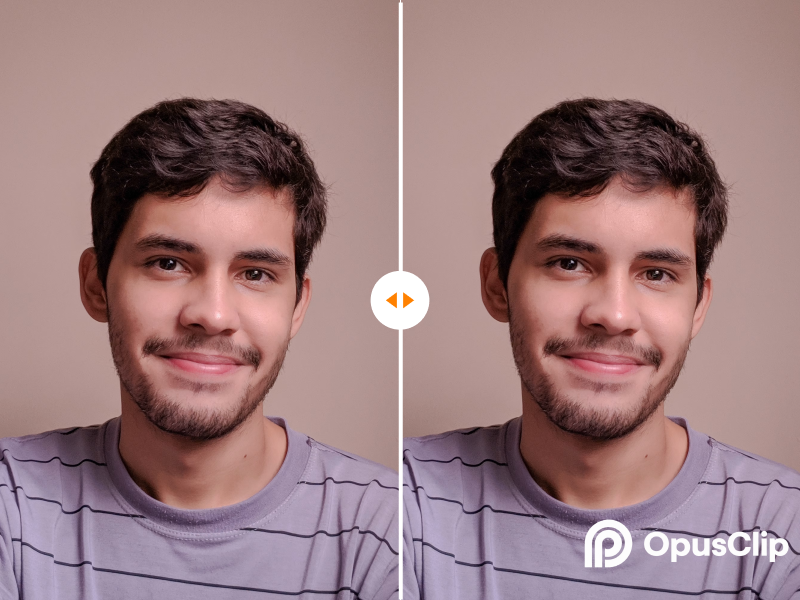
Before cleanup: visible OpusClip-style corner mark in a short video
After cleanup: a clearer short-video frame
BEFOREAFTER

Results vary with logo size, movement, compression, background detail, and overlap with faces, captions, or important objects.

Which OpusClip Watermark Remover Option Fits Your Export?

AIAI.COM is built for the moment after export: you have a finished short clip and only need visible watermark cleanup. Choose the path that matches how often you create content.

AIAI.COM processes authorized files you upload. It does not download content from OpusClip or any other platform.

Short video editor working with a cleaned-up export
Made for finished exports

Why Use an Opus Clip Watermark Remover for a Few Videos?

No monthly commitment for an occasional task

Use AIAI.COM when you need to clean up a completed video, not build an ongoing editing workflow.

Test the result on your own footage

The 20-credit new-user allowance lets you evaluate the cleanup result on a real video before purchasing more credits.

No masking or editing experience required

AI detects suitable visible watermark and overlay areas automatically. You do not need to draw a box or create a mask by hand.

Keep the original frame

Clean up a suitable visible mark without relying on a crop that may remove captions, a subject, or important visual detail.

How to Delete or Erase an Opus Clip Watermark in Three Steps

01

Sign in and upload

Create an AIAI.COM account or log in, then upload the short video you own or are authorized to edit.

02

Let AI detect the visible mark

AI analyzes the video and automatically identifies suitable visible watermark or logo areas. There is no manual area-selection step.

03

Review and download

Review the processed result and download it when it is ready. The required credits are shown during the workflow.

Opus Clip Watermark Remover Pricing: Start with 20 Free Credits

New accounts receive 20 credits, typically enough to process about 10 seconds of video.

Private Opus Clip Watermark Removal, with Clear Answers

We process uploaded files to provide the watermark-removal service you request. Your uploads are not made public, and AIAI.COM does not claim ownership of your content.

Read Our Privacy Policy
Does OpusClip add a watermark to free exports?

OpusClip states that clips created on its Free Trial and Free Plan include an OpusClip brand logo watermark. Its plans and product terms can change, so check OpusClip's current pricing and help documentation for the latest rules.

Can I delete or erase an OpusClip watermark automatically?

Yes. Upload an authorized video and AI automatically detects suitable visible watermark areas. There is no manual selection step.

What can I do with 20 free credits?

New AIAI.COM accounts receive 20 credits, typically enough to process about 10 seconds of video. Use the trial to check how well the result works for your footage.

Is this opus clip watermark eraser suitable for long videos?

Yes. AIAI.COM can process long videos, and video credit use is based on duration. Because longer videos require more credits, this tool is usually the best value for occasional cleanup of short or medium-length exports rather than high-volume long-video processing.

Will the watermark disappear perfectly in every video?

Not always. Results depend on motion, compression, logo placement, background complexity, and whether the mark overlaps faces, captions, or important objects. Review the processed result before downloading.

Can AIAI.COM download OpusClip videos without a watermark?

No. AIAI.COM processes files you upload. Upload only content you own or are authorized to edit.

Is AIAI.COM affiliated with OpusClip?

AIAI.COM is an independent tool and is not affiliated with, endorsed by, or sponsored by OpusClip.

Get Your OpusClip Video Ready to Post Today

Your clip is ready. Upload an authorized video, let AI clean up the visible watermark, and get it ready to share on your social channels today.

For videos you own or have permission to edit.