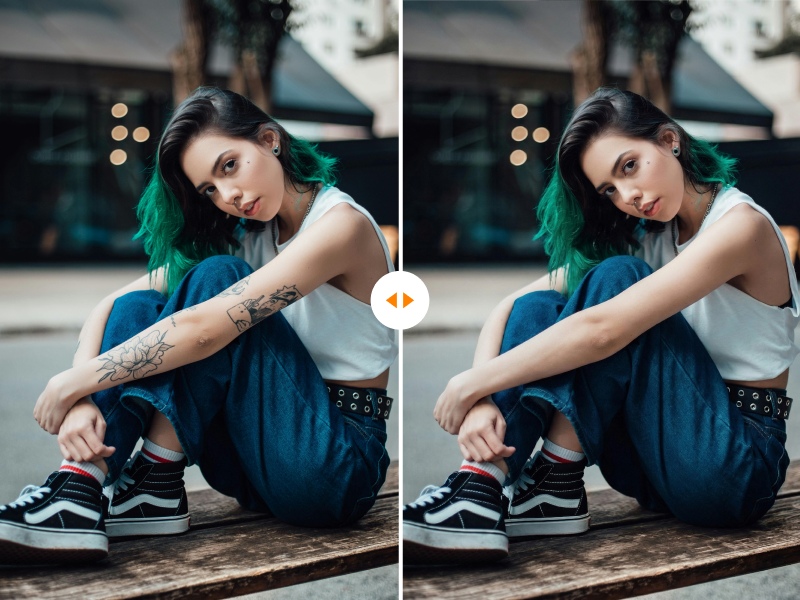
AI-Powered Precision
Our tattoo remover AI identifies ink patterns and nearby skin texture automatically, helping remove the tattoo while preserving pores and realistic tone.
Restore the natural look of skin with our precision-driven AI tattoo remover. Fast, free, and incredibly realistic with no professional retouching skills required.
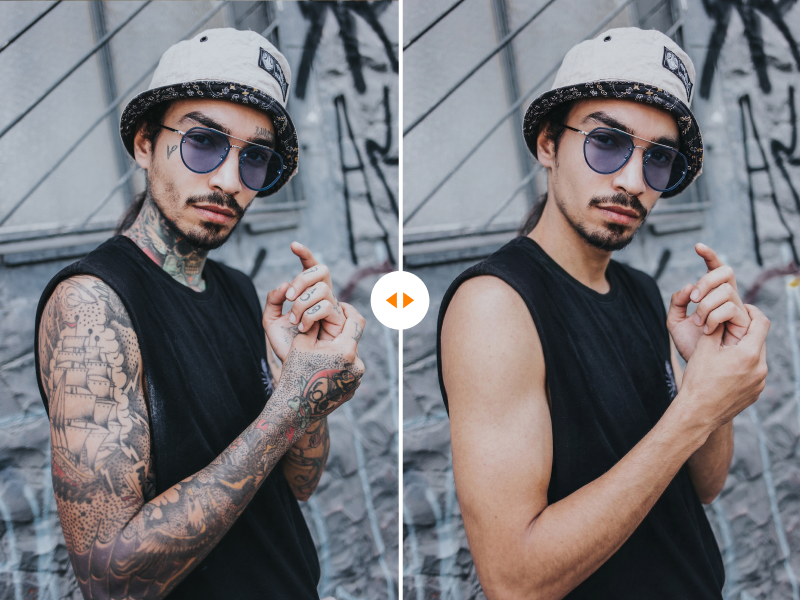
Remove visible tattoos while preserving pores, tone, anatomy, and natural lighting.
* Supports JPG, JPEG, PNG and WEBP formats, max 10 files at once, maximum file size of 20MB per file.
Total Estimated Cost
0 Credits
Our tattoo remover AI identifies ink patterns and nearby skin texture automatically, helping remove the tattoo while preserving pores and realistic tone.
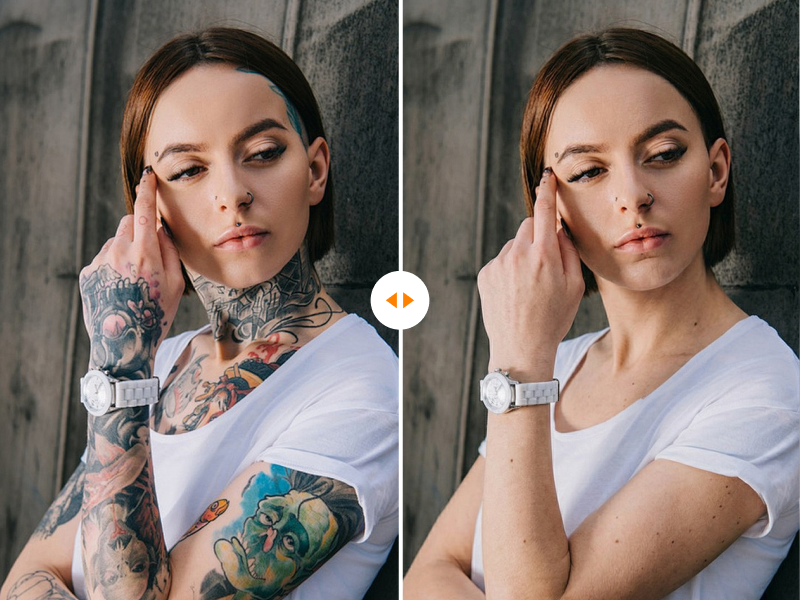
Instead of basic blurring, the model rebuilds the hidden area using surrounding skin tone, lighting, and texture for a cleaner, more natural finish.
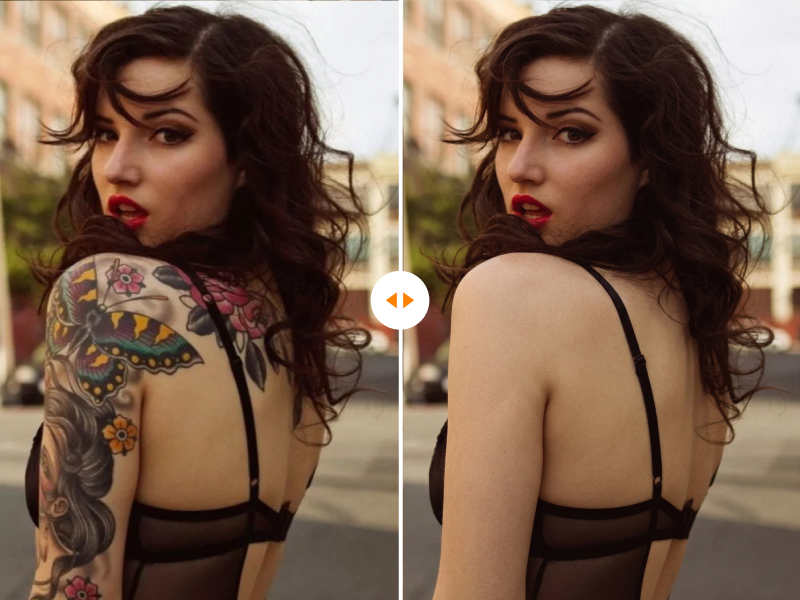
No downloads, no complicated retouching tools, and no learning curve. Upload one or more photos, then let the workflow process them one by one.
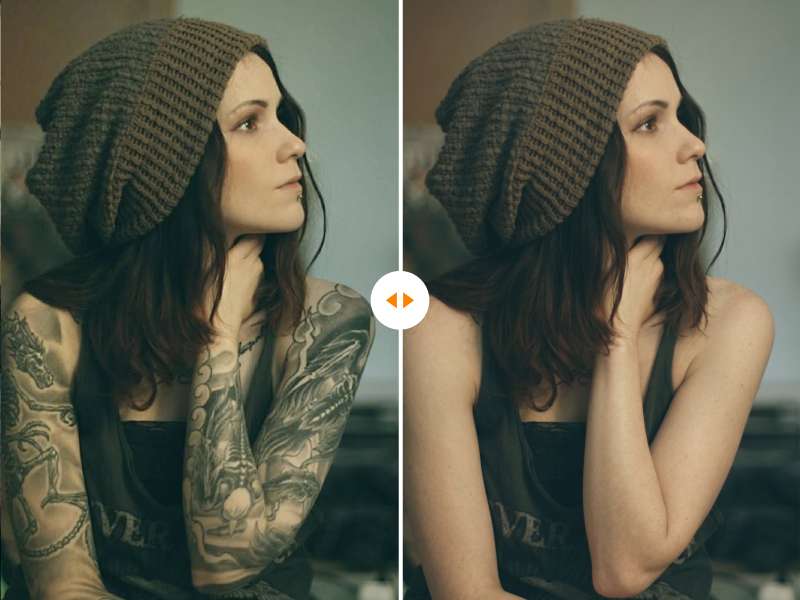
The tattoo removal prompt is tuned to keep anatomy, shadows, skin grain, and overall photorealism intact with no obvious retouching marks.
Drag in your image or click to upload. This page currently supports JPG, JPEG, and PNG photos up to 20MB.
Check the estimated credit cost, then start tattoo removal with a single click. No brushes or manual masking are required.
Our AI analyzes the tattoo area, reconstructs skin underneath, and blends tone, lighting, and texture for a realistic photo finish.
Preview the cleaned result and download your tattoo-free photo in high quality once processing is complete.
Create a polished and neutral look for LinkedIn photos, company profiles, and personal branding imagery by removing distracting body art.
Perfect formal photos by removing temporary or unwanted tattoos that clash with wardrobe styling, wedding looks, or event aesthetics.
Show casting directors and agencies a clean-skin version of the same photo so talent can present a more flexible visual profile.
Clean up fashion, travel, or lifestyle photos when you want the outfit, pose, or location to stay the main focus of the frame.
Skip manual retouching. Our AI delivers polished tattoo cleanup in just a few clicks.
Use a secure browser-based workflow without needing heavy desktop software or complicated export steps.
If you can upload a photo, you can clean up tattoos with this tool. The process is simple from start to finish.
Maintain lighting, skin detail, and original photo quality without obvious blur, smudges, or pixelation.
I had a beautiful beach photo, but my old tattoo was a total eyesore. This AI tattoo remover cleared it up so well you cannot even tell there was ink there.
The best tool to remove tattoo from photo online free. I use it for client headshots when they want a cleaner visual and it saves me a huge amount of retouching time.
Experience the power of advanced tattoo remover AI online. Professional-looking skin cleanup is just one upload away.
Choose the perfect credit package for your needs. No hidden fees.