
Dreamina Watermark
A visible platform branding mark on the exported video.
Visible Watermark Removal for Dreamina Videos
Clean up exported Dreamina videos without cropping the frame or blurring key details. Built for creators who need a cleaner version for publishing, sharing, or client delivery.
Supports visible watermarks only. Does not remove invisible metadata, C2PA, or content credentials.
Best for TikTok, Reels, Shorts, product videos, and client drafts.
Batch upload up to 10 videos at once. Supports MP4, MOV, M4V, MKV and WEBM. Each video must be 1 second to 10 minutes long and up to 500MB.
Free users can access a 3-second preview video. Upgrade to unlock the full watermark-free video.
Most users searching for a Dreamina watermark remover are dealing with one of these three cases.
A visible platform branding mark on the exported video.

A visible AI label that may still appear on some exported videos.
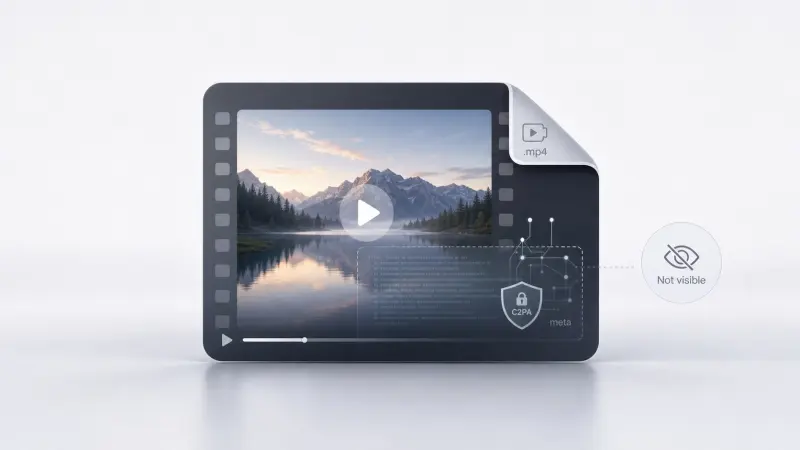
Invisible provenance data embedded in the file. This is not supported by this tool.
I already paid for Dreamina, but my export still shows a visible AI mark.
Cropping ruins my framing and cuts off the composition.
Blur or patching makes text, faces, and product details look worse.
I need a cleaner version today for social posting or client delivery.
This tool is designed for visible watermark cleanup on videos you own or are authorized to edit.
If you need a clean-looking video for publishing, this page is for visible overlay removal. If you need metadata-level changes, this tool is not the right fit.
New users receive 20 free credits, typically enough to process about 10 seconds of video. For longer videos, the free credits process only the opening segment.
Cuts off the frame and changes your original composition.
Leaves visible artifacts and can look unprofessional.
Aims to keep the frame intact while reducing visible distraction from the watermark.
Especially important for subtitles, close-up faces, product demos, and 9:16 vertical video.

Fix today's export

Create the next one
A better next step
If you have not created your next video yet, use Seedance on our main site to generate watermark-free visible exports from the start. Fix the video you already made here, then create the next one without the extra cleanup step.
Best path: fix today's export here, then create future videos on Seedance.
Best if you want to keep testing official plan limits and export behavior.
Best if you already have a finished video and need a cleaner version now.
Best if you are starting a new project and want to avoid watermark cleanup later.
New users receive 20 free credits, typically enough to process about 10 seconds of video. For longer videos, the free credits process only the opening segment.
Choose the perfect credit package for your needs. No hidden fees.
The Dreamina watermark is typically visible platform branding on the exported video. The AI badge is a separate visible AI label that some users still see on exports. This tool is for visible watermark cleanup only.
Export behavior can vary by plan, channel, or product flow. Some users report that a paid export removes one visible mark but still keeps another. This page is built for users who need a cleaner version of the video they already exported.
No. This tool does not remove metadata, C2PA, provenance data, or content credentials.
Often yes. Cropping changes the composition, and blur can make the video look edited or low quality. That is why many users prefer a cleaner visible watermark removal workflow.
Yes, this tool is designed for users who need a cleaner visible export for social posting, presentation, or delivery workflows.
If you already have a finished Dreamina export, use this tool to clean the visible watermark. If you are starting a new project, use Seedance on our main site to avoid the extra cleanup step next time.
Visible watermark removal only.
Does not remove metadata, C2PA, provenance data, or content credentials.
Use only on videos you own or are authorized to edit.
Commercial usage rights still depend on the source platform's terms.