
Date-Only Camera Stamps
Remove a visible date imprinted by an early digital camera or an enabled camera date setting. These stamps usually appear as bright numbers in a corner of the photo.
Visible photo date restoration
Remove visible date and time stamps from old photos, camera images, and scanned pictures. Restore the covered area while keeping the complete photo and its original composition.


Choose a supported photo you own or are authorized to edit.
Total Estimated Cost
0 Credits
Only upload photos you own or are authorized to edit.
Printed into the pixels
A date stamp is a visible date or time printed directly onto a photo. It often appears in a corner as orange, red, yellow, or white numbers added by a digital camera, scanner, or retro camera app.
AIAI.COM helps remove a date stamp from a photo and reconstruct the covered area from the surrounding visual content. Use it for visible dates, timestamps, and date-and-time combinations that are already part of the image.


A visible date stamp and a photo's capture date are not the same thing.
| Visible Date Stamp | EXIF Metadata |
|---|---|
| Appears directly on the photo | Stored inside the image file |
| Made from visible pixels | Contains hidden capture information |
| Removed by repairing the image | Changed or removed with a metadata editor |
| Supported by this tool | Not changed by this tool |
This date stamp remover cleans visible dates and times from the image. It does not edit the original capture date, GPS location, camera model, or other hidden EXIF information.
Remove a visible date imprinted by an early digital camera or an enabled camera date setting. These stamps usually appear as bright numbers in a corner of the photo.

Erase a complete timestamp that combines a calendar date with hours, minutes, or seconds directly in the image.

Clear a stylized date added by a vintage camera app, film filter, or retro photo effect while keeping the rest of the picture.

Remove a date originally printed on a physical photo and captured as part of the image during scanning, including faded dates on family photos and album prints.
Full-frame restoration
Cropping can hide a corner date, but it also removes part of the scene. Blurring leaves an obvious patch, while covering the stamp replaces one distraction with another.
AIAI.COM processes the visible date area while preserving the complete photo, original dimensions, and aspect ratio. AI rebuilds a visually consistent replacement that matches nearby colors, light, and texture as closely as possible.
The result depends on what the date covers. Small stamps over simple backgrounds are generally easier to restore than large timestamps placed across faces, detailed patterns, text, or important edges.
Restore family photos before printing them, adding them to an album, or preserving them as digital memories.
Clean photos taken while a camera's date setting was enabled, without losing scenery or subjects near the edge.
Prepare scanned photographs and historical image collections for a cleaner, more consistent archive.
Update owned historical images before reusing them in a new post, campaign, presentation, or visual story.
Removing the numbers is only part of the result. The repaired area should also blend into the rest of the photograph.
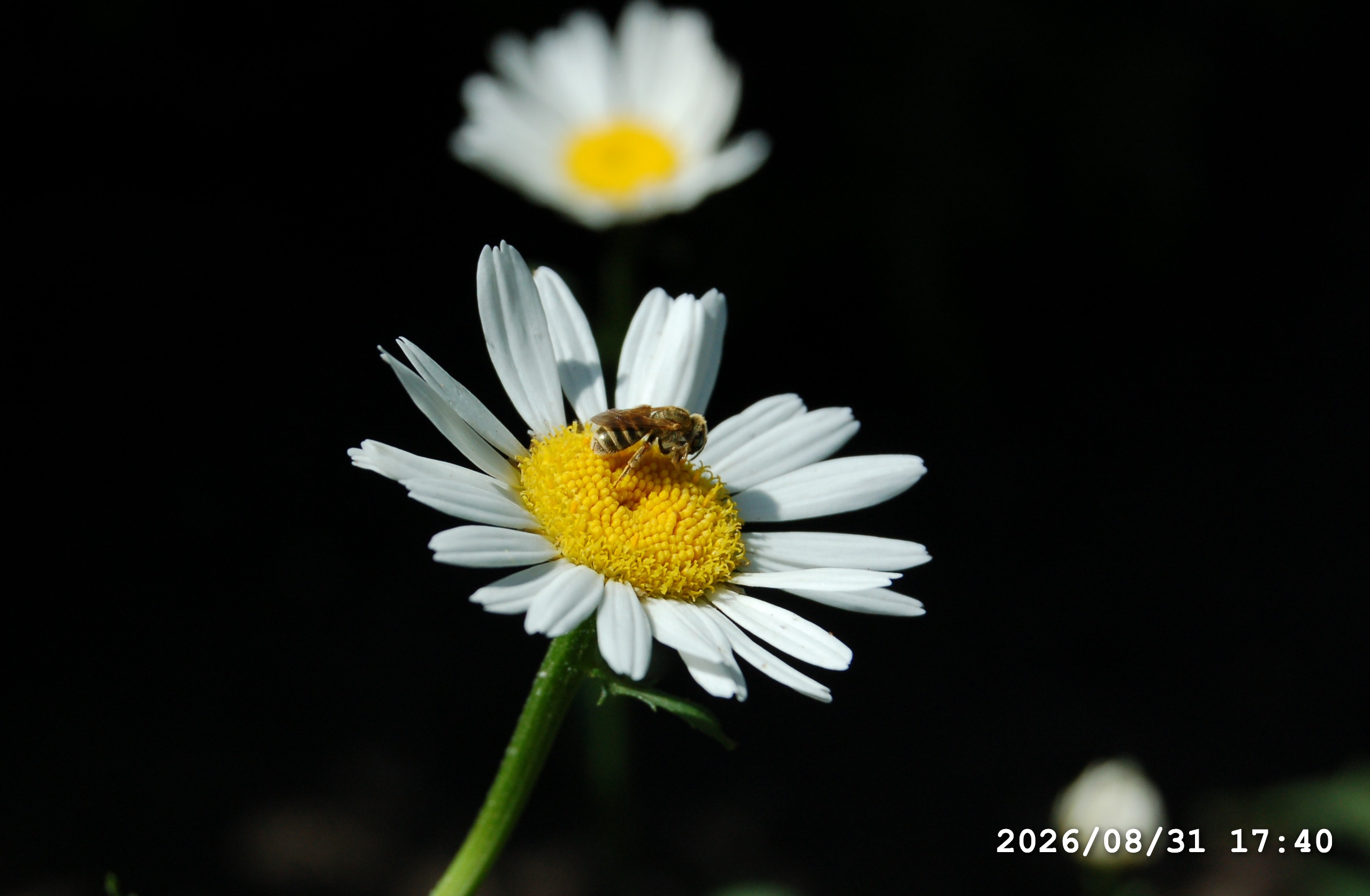
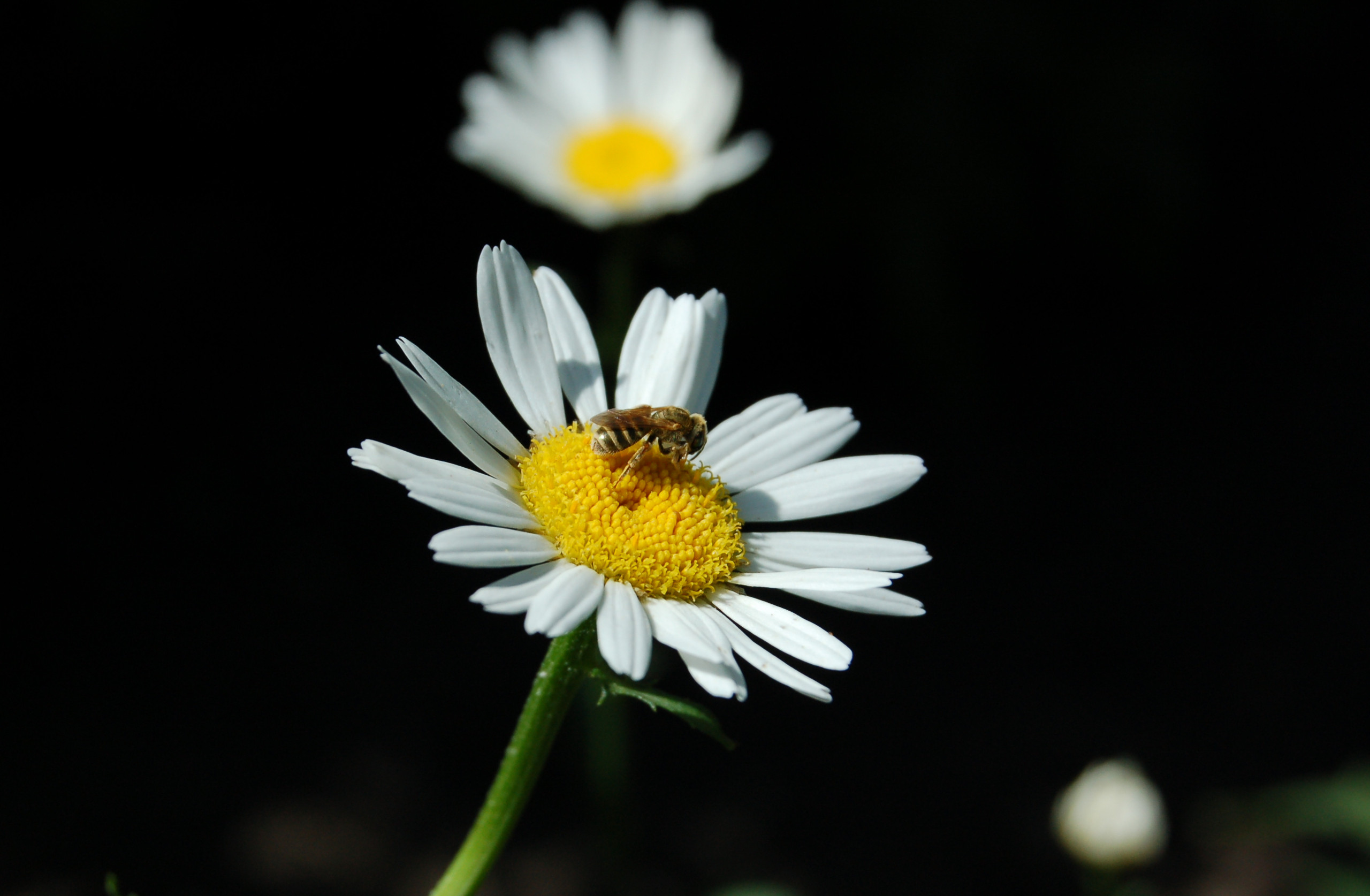
Review smooth walls, skies, floors, and studio backgrounds for color changes or visible patches after the date is removed.


Inspect skin, hair, fabric, shadows, and body edges when a timestamp overlaps part of a person.


Look closely at plants, buildings, furniture, patterned surfaces, and other textures that are more difficult to reconstruct naturally.


Check old digital photographs and scanned prints at full size, especially when compression, fading, or image noise reduces the available detail.
Three simple steps
Choose a supported image containing a visible date or time stamp.
Start the date stamp removal process and let AIAI.COM repair the affected part of the photo.
Inspect the restored area at full size and download the result when it meets your needs.
| Method | Keeps the Complete Photo | Rebuilds the Date Area | Editing Experience Needed |
|---|---|---|---|
| Crop | No | No | Low |
| Blur or cover | Yes | No | Low |
| Clone stamp | Yes | Partially | High |
| Manual Photoshop retouching | Yes | Yes | High |
| AIAI.COM | Yes | Yes | Low |
Use the AI date stamp remover when you want to erase a date from a picture without Photoshop, cropping, or covering the timestamp with another graphic.
Clean captions, labels, signs, and other visible text that is not a date stamp.
Remove other visible text, logos, and watermark overlays from supported images.
Process faint text, low-opacity logos, and semi-transparent watermark layers.
Remove an unwanted person, object, or distraction from a supported photo.
A date stamp is visible text showing a date, time, or both directly on the image. It is commonly added by a digital camera, scanner, filter, or camera app.
Yes. The tool can process visible date stamps on supported old digital photos and scanned pictures. Results depend on the stamp size, source quality, and content underneath it.
Yes. It can process a complete visible timestamp containing a date, hours, minutes, or seconds.
It can process common visible date formats and colors, including red, orange, yellow, and white timestamps. Results vary with contrast, size, and background detail.
Yes. If the printed date is visible in the scanned image, it can be processed like other date stamps embedded in photo pixels.
No. The workflow removes the visible date without cropping the photo and preserves the original dimensions and aspect ratio.
No. This tool removes a visible date from the photo. It does not change hidden capture dates, GPS information, camera details, or other metadata stored in the file.
Yes. The online workflow removes visible dates and timestamps without requiring desktop retouching software or clone-stamp editing experience.
Results vary by image. Large stamps, faces, detailed textures, low resolution, fading, and compression can make the hidden area more difficult to reconstruct naturally.
Only upload photos you own or are authorized to edit. Removing a visible date does not grant ownership or permission to use the original image.
Clean visible dates and timestamps from the photos that matter to you. Restore the complete image and make it ready to share, print, or preserve.