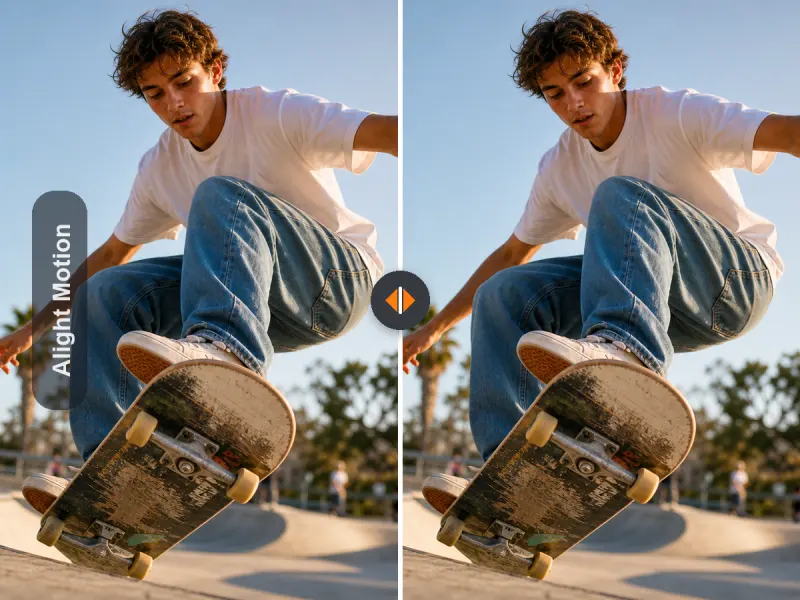
Before: visible corner watermark After: cleaner frame for posting
Remove visible video watermarks
Remove visible Alight Motion watermarks from videos you own or are authorized to edit—without cropping away your frame. Best for short exported videos, including TikTok, Reels, and Shorts edits.
Works best on visible logo or text watermarks. Invisible metadata and hidden file provenance are not removed.
Perfect for one-off exports when you don't want to pay for a full editing subscription.
Upload one video at a time. Supports MP4, MOV, M4V, MKV, WEBM and AVI. Video length: 1 second to 10 minutes; max size: 500MB.
Free users can access a 3-second preview video. Upgrade to unlock the full watermark-free video.
Keep your framing instead of cropping the corner
Designed for short-form creator workflows
Better fit for one-time fixes and occasional use
Supports visible watermark cleanup on exported videos
If your export is already finished, cropping the frame or covering the corner can make the final video look worse. This tool is built to remove the visible watermark while preserving the composition as much as possible.
Before: visible corner watermark After: cleaner frame for posting

Before: exported short edit with visible text/logo After: ready for reposting or client delivery

Before: watermark distracting from motion graphics After: a more polished final result
Results vary depending on motion, background detail, and watermark placement.
Import the video you want to clean up. This works best for short exported clips with visible logo or text watermarks.
Our tool processes the visible watermark area and reconstructs the frame without forcing you to crop the whole corner.
Download a cleaner version for publishing, sharing, or delivery.
New users receive 20 free credits, typically enough to process about 10 seconds of video. Longer videos may need additional credits.
Not every creator using Alight Motion needs an ongoing subscription. Many people just need to fix one exported video. This page is built for that exact moment.
Free, but it cuts into your composition and can make your edit feel cramped.
Possible, but it often looks obvious—especially on motion-heavy or clean backgrounds.
A good option for long-term Alight Motion users, but not ideal when you only need to clean up one or two exported videos.
A simpler fit for one-time cleanup, occasional use, and short-form creators who want a cleaner final export without starting over.
Some users only need to fix one video. Others clean up exports regularly. Start with a one-time option, then move to a subscription only if you need ongoing access.
Best for one-time use
Fix one exported video without committing to a monthly plan.
Start with 1 VideoBest for occasional creators
A better value if you usually need to clean up a few exports at a time.
Choose a Video PackBest for frequent use
For editors, freelancers, and repeat creators who need watermark cleanup more often.
View Subscription PlansNew users receive 20 free credits, typically enough for about 10 seconds of video. If your video is longer, you may need additional credits to finish the full cleanup.
We present pricing by video usage for clarity, but actual processing is based on credits and video duration.
Choose the perfect credit package for your needs. No hidden fees.
This tool is especially useful for mobile-first creators who already finished editing and now need a cleaner export.
You want to post quickly without re-editing your whole video.
You care about preserving timing, framing, and the look of your edit.
You do not need a full monthly editing subscription just to fix one export.
You need a cleaner final file before delivery.
Best fit for short exported videos, especially around 10–30 seconds.
This tool is designed for visible watermark cleanup only. It does not remove invisible metadata or hidden information embedded in the file.
Only use this tool on videos you own or are authorized to edit.
Yes—this tool is designed to remove the visible watermark without relying on a full-frame crop, which helps preserve your composition.
No. This page is for people who already have an exported video and want to remove the visible watermark here instead of buying or renewing a full editing subscription.
We aim to preserve the original framing and quality as much as possible. Final results depend on the source export, background detail, and how the watermark overlaps the scene.
Yes, in many cases. However, scenes with heavy motion, fast transitions, or complex textures can be more difficult.
No. This tool removes visible watermark elements only. Invisible metadata and embedded provenance information are not removed.
New users receive 20 free credits, which is typically enough to remove a visible watermark from about 10 seconds of video. Longer videos may require additional credits, so the free credits may not cover the full length.
Choose one-time purchase if you only need to fix one or a few videos. Choose subscription if watermark cleanup is part of your regular workflow.
It is best for short-form creators, occasional editors, and freelancers who already finished a video and want a cleaner final export.
The Alight Motion watermark is a visible mark that appears on exports made without the required paid access level. For many creators, the problem is not editing the video—it is that the final export is already done, but the visible watermark makes the video less publishable.
Most users searching for "Alight Motion watermark remover" are not looking for a general video editor. They already have a finished export and want a faster way to clean it up. Cropping the frame, covering the corner, or restarting the project often feels inefficient—especially for short videos made for TikTok, Instagram Reels, and YouTube Shorts.
A one-time remover makes the most sense when you only need to fix one video, a few occasional exports, or a client delivery. Instead of paying for a full editing subscription, you can use a smaller pay-per-video option and move on. If you need watermark cleanup regularly, a subscription may become the better long-term fit.
A good Alight Motion watermark remover should focus on visible watermark cleanup, preserve the framing, and stay clear about its limits. It should not promise impossible results, and it should explain when quality may vary—especially on complex moving backgrounds.
If your video is already finished, you don't need to start over. Remove the visible watermark, keep your framing, and get a cleaner export for publishing.
Visible watermark removal only. No invisible metadata removal.