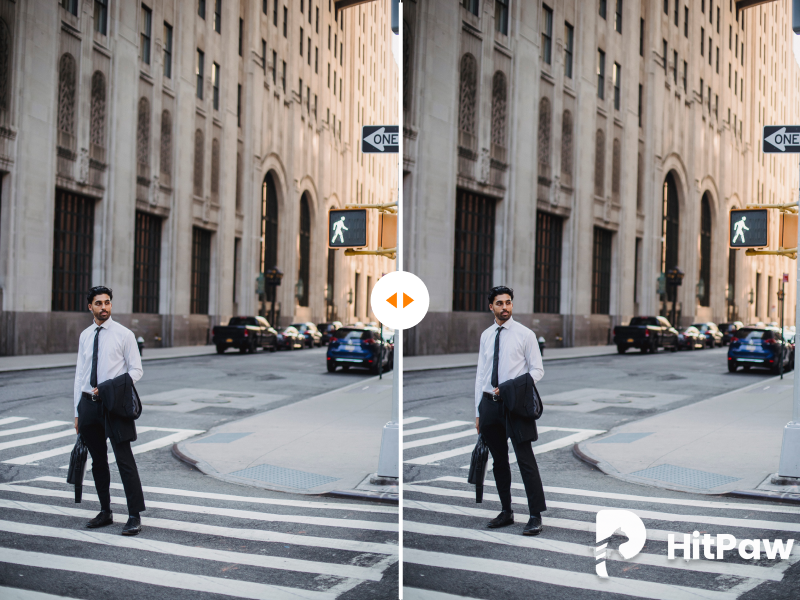
Static Logo on an Image
Inspect edges, gradients, skin, product details, and repeated textures around the removed logo.
Image and video removal in one browser workspace
Remove visible watermarks from images and videos directly in your browser. AIAI.COM handles static logos, moving watermarks, semi-transparent overlays, and dynamic text in one online workspace, with no desktop installation or workflow switching.
New users receive 20 credits to verify the result. Payment or a subscription is required to download.

Supports JPG, JPEG, PNG, and WEBP. Up to 10 images, 20MB per image.
Total Estimated Cost
0 Credits
Supports MP4, MOV, M4V, MKV, WEBM, and AVI. Up to 10 videos, 500MB per video.
Total Estimated Cost
0 Credits
Only upload content you own or are authorized to edit.
Choose the workflow that fits
AIAI.COM is a practical HitPaw Watermark Remover alternative when you want to complete image and video watermark removal online, including more complex video tasks, without moving to desktop software. HitPaw may be a better fit when you prefer an installed Windows or Mac application with multiple removal modes and a desktop-focused workflow.
| Comparison | AIAI.COM | HitPaw | Why It Matters |
|---|---|---|---|
| Browser-based processing | Complete online workflow | Online tools and desktop software are available | Choose whether to stay in the browser or work in an installed app |
| Images and videos | One workspace with image and video tabs | Separate online image and video tools; both are available in the desktop product | A unified workspace reduces tool switching |
| Moving watermarks | Processed online | The online video page directs moving-watermark users to the desktop product | Useful when a logo or text changes position during a video |
| Transparent and dynamic overlays | Supported in the online workflow | Availability and workflow depend on the selected tool or mode | Complex overlays need more than a fixed blur or crop |
| Installation | Not required | Optional for online tools and required for desktop features | Browser processing avoids software setup |
| Cost visibility | Estimated video credits appear before processing | Pricing and limits vary between online and desktop products | Upfront information makes the cost easier to assess |
| Trial access | Verify the result before paid download | Online and desktop trial limits vary | Preview conditions and download access affect the real cost |
| Online video size | Up to 500 MB per video | Varies by the online tool or plan | File limits can determine whether the workflow fits |
Judge watermark removal from real output, not only feature lists. Compare both tools using the same authorized file, watermark area, and output dimensions.
HitPaw output



Our output
Inspect edges, gradients, skin, product details, and repeated textures around the removed logo.
Watch the entire clip for flicker, ghosting, unstable edges, or marks left in individual frames.
Compare how each result handles a low-opacity mark across colors, lighting, and detailed textures.
Results vary with watermark size, movement, opacity, background detail, compression, and source quality.
HitPaw provides separate online tools for image and video watermark removal, along with Windows and Mac software. Its desktop product offers AI processing, several fill methods, and blur-based modes for static and moving marks.
These options suit users who want an installed editing environment or more control over the removal method. The decision is not simply online versus offline, but whether separate browser tools and desktop features fit your workflow.
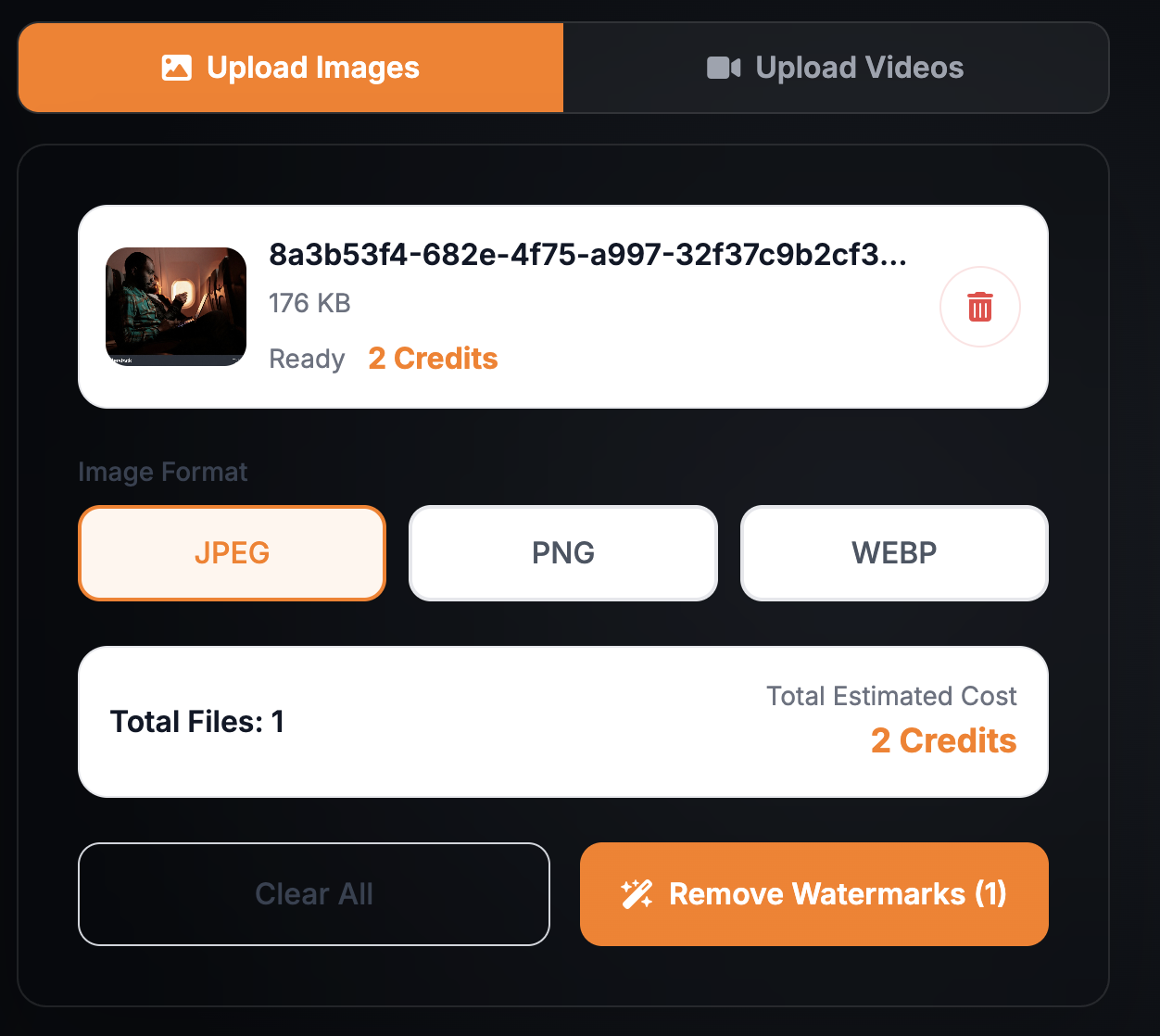
Upload, select, process, preview, and download from the same browser workflow. There is no installer to manage or application switch for supported tasks.
For video, the estimated credit cost appears before processing begins.
Use the image and video tabs in one workbench instead of opening separate tools for each media type. This makes AIAI.COM a practical HitPaw image watermark remover alternative for mixed-media projects.
Process shifting logos, scrolling text, changing usernames, timestamps, and overlays that move, fade, or disappear. For motion-heavy files, AIAI.COM works as a HitPaw video watermark remover alternative without sending the task to desktop software.
Erase faint logos, low-opacity text, fixed corner marks, dates, and labels. AI reconstructs the area you specify while retaining the original dimensions, aspect ratio, video duration, and audio.
Upload, select, process, preview, and download from the same browser workflow without an installer or application switch for supported tasks.

Clean a visible platform mark from an authorized AI-generated file while keeping the scene, movement, framing, and effect you selected.

Erase a username, floating platform mark, or dynamic text from your own export before adapting it for another channel.

Prepare licensed stock, templates, and creative assets when your license or the rights holder allows modification.

Remove an old logo, campaign label, draft mark, or embedded text from an owned export when the editable source is unavailable.
Only upload files you own or are authorized to edit. Removing a watermark does not transfer copyright or licensing rights.
AIAI.COM
AIAI.COM displays the estimated credit cost before video processing begins. New users receive 20 credits to verify the result, while payment or a subscription is required to download.
HitPaw
HitPaw's online access, desktop licenses, credits, export permissions, and trial limits differ between products and plans. Check whether the current offer includes the workflow and export access you need.
Three-step workflow
Choose supported files that you own or have permission to edit.
Mark the visible logo, moving watermark, transparent overlay, or dynamic text. Review the estimated cost before processing.
Inspect the full-size image or complete video, then use credits or a subscription to download.
Process a shifting logo, animated mark, or scrolling text in a supported video.
Clean faint logos and semi-transparent overlays from images and videos.
Remove visible logos, text, labels, and other watermarks from authorized video.
Erase a visible watermark from a supported photo, graphic, or AI-generated image.
Delete embedded labels, timestamps, usernames, captions, and other visible text.
Yes. HitPaw provides separate online image and video watermark removal tools as well as desktop software. Some advanced workflows and moving-watermark features are positioned toward its installed product.
Yes. AIAI.COM can process moving logos, animated text, shifting marks, and overlays that appear in different positions during a supported video.
Yes. The online workflow supports visible transparent and semi-transparent watermarks as well as moving, scrolling, fading, and animated text. Results depend on the file and the visual content beneath the mark.
A single online video can be up to 500 MB. The estimated credit cost appears after upload and before processing begins.
HitPaw is the more relevant choice when you specifically want installed Windows or Mac software and multiple desktop removal modes. AIAI.COM is designed around completing the workflow online.
Results vary by file. Large marks, fast movement, faces, detailed text, reflections, heavy compression, and complex textures can make reconstruction more difficult. Review the full result before publishing or delivering it.
No. Only upload content you own or are authorized to edit. Removing a visible watermark does not grant ownership, a license, or permission to use the original content.
Upload an image or video and preview the processed result directly in your browser. Handle static, moving, and transparent marks without switching to desktop software.
HitPaw is a trademark of its respective owner. AIAI.COM is an independent service and is not affiliated with, sponsored by, or endorsed by HitPaw.