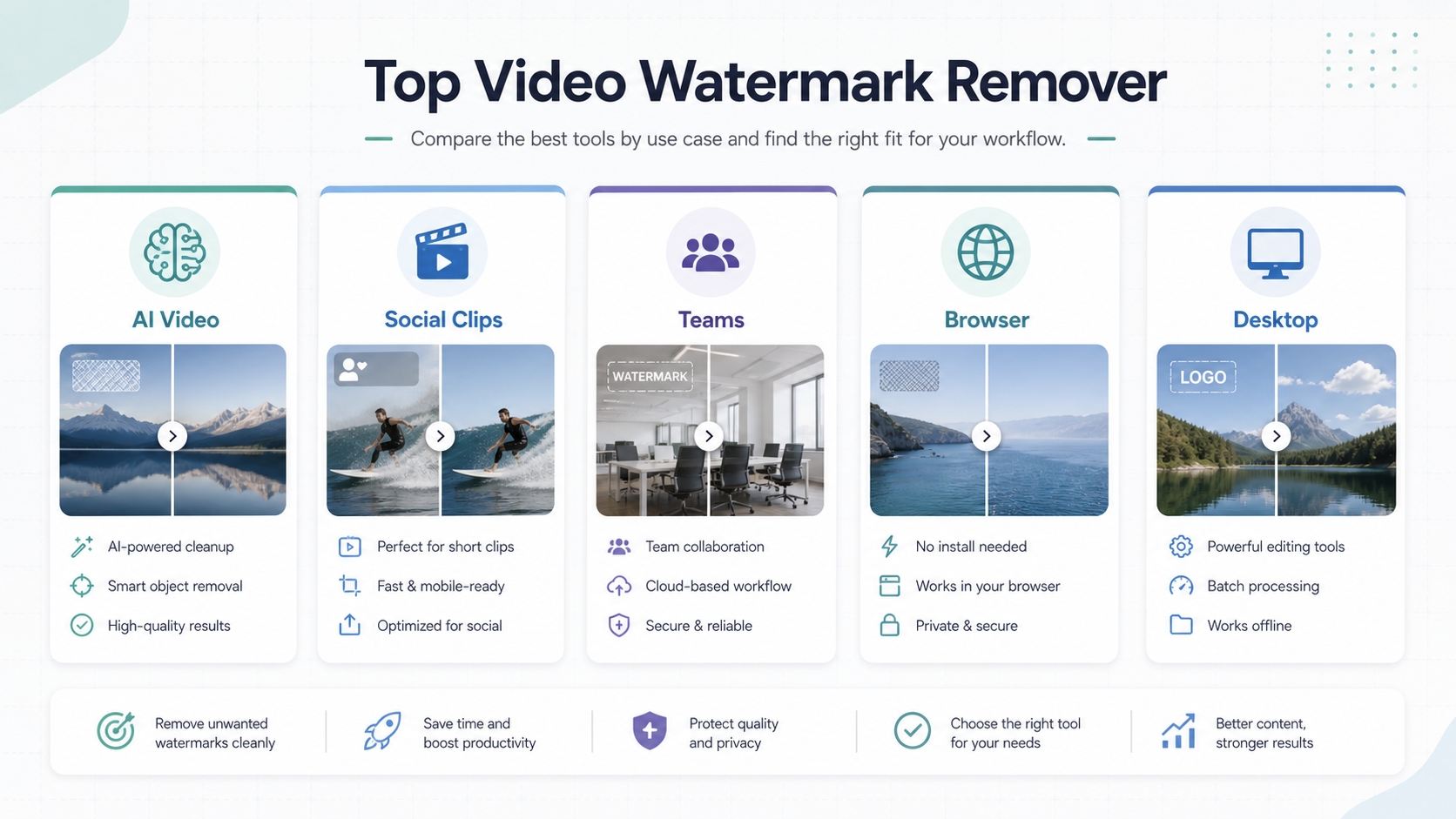
If you are looking for a top video watermark remover, the best choice depends on the type of watermark you need to remove. A simple corner logo, a moving TikTok mark, an AI-video platform badge, hardcoded subtitles, and a watermark over a face or complex background all create different editing problems.
For most creators who want a fast online tool, AIAI.COM Video Watermark Remover is one of the strongest options to try first because it is built specifically for AI video marks, social platform logos, editor-export stamps, subtitles, timestamps, and moving or complex-background watermarks. Media.io is a good all-in-one choice if you also want broader video-editing tools. Vmake AI is useful for complex scenes and batch-style workflows. Pixelbin is a better fit for teams that care about API or production workflow integration.
Use these tools only for content you own, content you have rights to edit, or watermark removal that is legally and ethically permitted. Removing ownership marks from copyrighted footage can create serious rights issues.
Quick Verdict
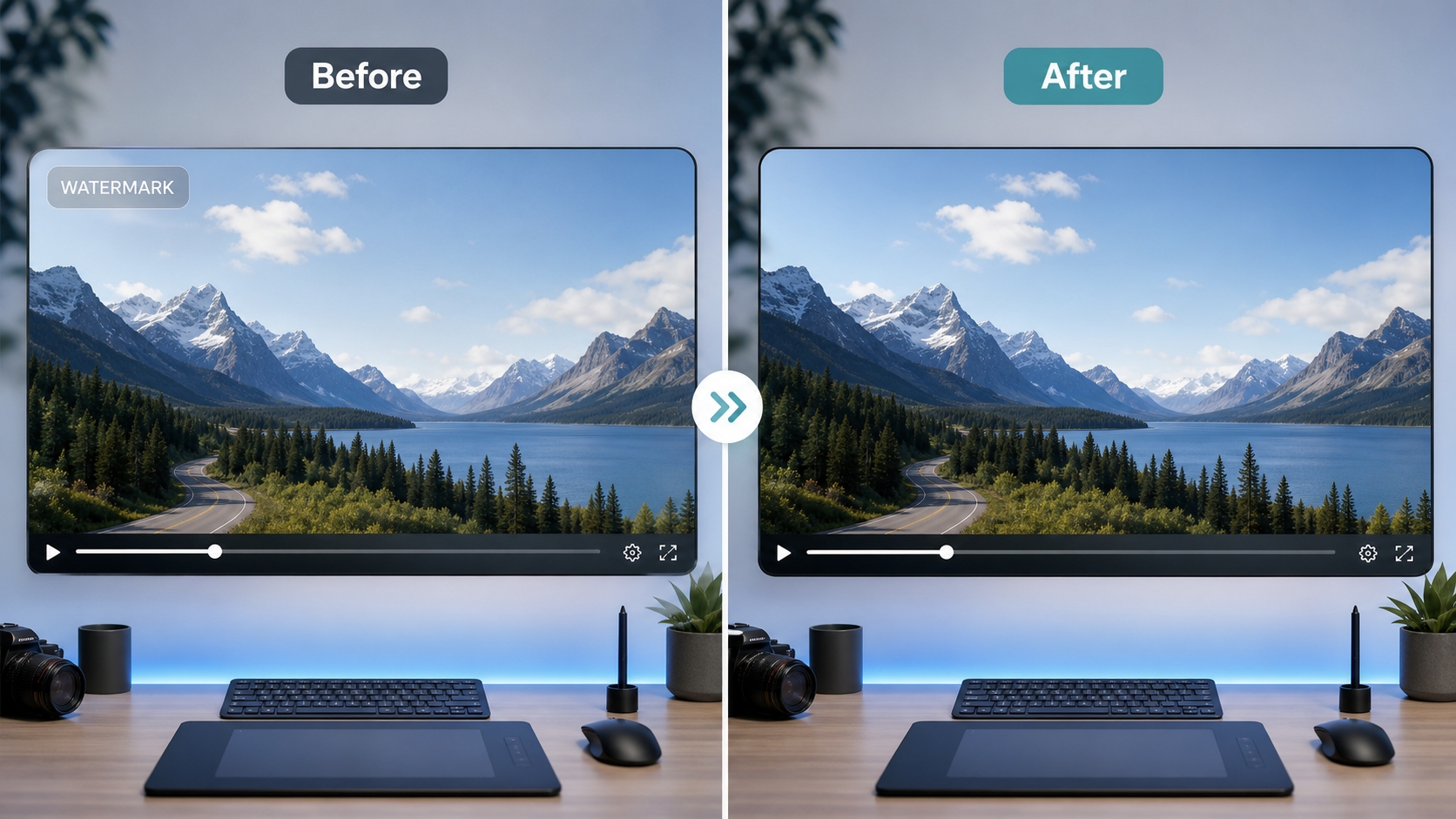
The best video watermark remover for most online cleanup jobs is AIAI.COM Video Watermark Remover because it combines browser-based use, AI detection, multiple video formats, support for AI-generated video watermarks, and a clear focus on preserving quality rather than simply blurring the marked area.
Quick Comparison Table
| Tool | Best for | Verdict | Why it stands out | Main limitation |
|---|---|---|---|---|
| AIAI Video Watermark Remover | AI video, social clips, editor-export watermarks, and multi-scenario cleanup | Best overall first choice for most online video watermark removal workflows | AI detection, no installation, MP4/MOV/M4V/MKV/WEBM support, up to 10 files, 500MB per file, quality-preserving inpainting | Free users get preview access; full output may require credits |
| Media.io Watermark Remover | Creators who want watermark removal plus general video tools | Choose Media.io if you want watermark removal inside a broader video-editing suite | Online workflow, AI smart detection, HD export claims, broad format support, extra editor features | Can feel broader than necessary if all you need is focused watermark removal |
| Vmake AI | Busy scenes, product videos, and batch cleanup | Choose Vmake AI when the watermark overlaps products, faces, reflections, or moving backgrounds | Natural reconstruction, complex-scene handling, manual erase/protect zones, batch-ready positioning | Best results still depend on source footage and correct masking |
| Pixelbin Video Watermark Remover | Teams and developers | Choose Pixelbin if watermark removal needs to fit into a repeatable team or API workflow | Online cleanup, batch processing, API/workflow integration, unified platform | 50MB upload limit shown on the page may be restrictive for longer videos |
| Wink AI | Users who want auto and manual modes | Choose Wink AI if you want flexible auto/manual cleanup across video and image assets | Batch upload, auto/manual removal, video and image support, frame-by-frame claims | Processing time can vary by video size |
| UnWatermark AI | No-signup preview and quick simple removal | Choose UnWatermark AI if you want to test a short clip quickly before committing | Free online access, no login for preview, MP4/MOV/M4V support, brush/selection frame | First preview is limited to an initial segment |
| AirBrush Video Watermark Remover | Simple browser-based logo/text cleanup | Choose AirBrush for quick logo or text cleanup when you do not need advanced controls | No installation or signup, AI removal, quality-preserving positioning | Less detail about limits and advanced workflow controls |
| Morph Studio Watermark Remover | AI-generated videos and moving watermarks | Choose Morph Studio if watermark removal is part of a larger AI video creation workflow | Handles Sora/Kling/Runway-style marks, motion tracking, no-blur positioning, built into creative suite | Limits shown for video length and file size |
| PixBim Video Watermark Remover | Desktop users who prefer local software | Choose PixBim if you prefer installed software or local processing over browser upload | Useful for people who want installed software instead of browser upload | Platform and workflow fit should be checked before choosing |
How We Compared These Tools
This comparison is based on Google SERP research for top video watermark remover, related searches such as best video watermark remover tools, ranking product pages, an editorial roundup sample, and social discussion signals from Reddit, YouTube, LinkedIn, Quora, and Microsoft community pages.
The most important criteria were:
- Output quality: Does the tool reconstruct the background or just blur the watermark?
- Motion handling: Can it handle moving marks across frames?
- Ease of use: Is the workflow upload, select, process, download?
- Supported formats and limits: Does it support common video formats and practical file sizes?
- Best-fit use case: Is it for casual creators, social media teams, AI video users, developers, or desktop users?
- Transparency: Are limits, previews, sign-up requirements, and pricing cues clear?
- Trust and safety: Does the tool avoid overpromising and give enough information for users to verify fit?
The 9 Top Video Watermark Remover Tools
1. AIAI.COM Video Watermark Remover
AIAI Video Watermark Remover is a browser-based AI tool for removing watermarks, logos, text, subtitles, timestamps, stickers, and unwanted objects from videos. It is especially strong for users dealing with modern AI-video and social-video workflows: Sora, Kling, Runway, Veo, TikTok, YouTube, Instagram, CapCut, Filmora, KineMaster, and similar platform or editor marks.
The tool supports MP4, MOV, M4V, MKV, and WEBM uploads, with up to 10 files at once and a maximum file size of 500MB per file. Its page positions the product around AI detection, quality preservation, no installation, original-quality output, and “no blur” results. It also highlights more advanced cleanup scenarios such as dynamic backgrounds, watermark overlap with faces or subtitles, vintage footage, complex textures, and multiple watermark types.
For readers comparing top video watermark remover tools, AIAI is the most compelling first pick when the watermark is not a simple static logo. It is a better fit for AI-generated clips, moving social media watermarks, editor-export stamps, old timestamped footage, or cases where a blur patch would look unprofessional.
Strengths:
- Strong positioning for AI-generated video watermarks, including Sora, Kling, Runway, and Veo-style use cases.
- Supports common video formats and browser-based use without installing software.
- Handles multiple watermark types, including logos, text overlays, hardcoded subtitles, stickers, emojis, timestamps, and unwanted objects.
- Provides a focused workflow: upload, AI detects the watermark, review or select the region, then download the clean video.
- Good fit for creators, marketing teams, educators, and social media users.
Weaknesses:
- Free users can access a short preview; full watermark-free output may require credits.
- Like all AI inpainting tools, results depend on source quality, background complexity, motion, and how much important detail sits under the watermark.
Best for:
- Creators repurposing clips across platforms.
- AI video users cleaning Sora, Kling, Runway, or Veo outputs.
- Marketers removing outdated logos from owned promotional footage.
- Educators cleaning visual distractions from owned teaching material.
- Anyone who wants a focused online tool instead of learning a full video editor.
2. Media.io Watermark Remover
Media.io is one of the most visible video watermark remover pages in Google results. It offers an online AI watermark remover for video and images, with a simple process: upload a video, select the watermark area, and export the cleaned file. Its page mentions support for common formats such as MP4, MOV, AVI, 3GP, MKV, WMV, FLV, MPG, M4V, and MPEG, and it also connects watermark removal with broader Media.io video-editing features.
Media.io is a strong option if you want a watermark remover inside a larger creative toolkit. It is not just a single-purpose remover; the page also points users toward trimming, subtitles, AI effects, stickers, background music, compression, conversion, and other video utilities.
Strengths:
- Good all-around online workflow.
- AI smart detection and manual area selection.
- Broad format support.
- Useful for TikTok, YouTube, tutorial videos, timestamps, UGC, and client delivery.
- Part of a wider video-editing environment.
Weaknesses:
- Because Media.io is a broad creative suite, users who only need quick watermark removal may find the surrounding product ecosystem heavier than a focused remover.
- As with all online AI removers, final quality depends on the watermark position and background complexity.
Best for:
- Creators who want watermark removal and other video tools in one place.
- Beginners who prefer a polished guided interface.
- Social media creators who frequently need related editing features.
3. Vmake AI Video Watermark Remover
Vmake AI is a strong candidate for product, marketing, and e-commerce video cleanup. Its product page emphasizes natural reconstruction, complex-scene handling, batch-ready speed, and manual precision. It specifically describes scenarios where the tool separates foreground subjects from backgrounds, rebuilds the background, handles hair, hands, reflections, camera shake, and fast motion, and lets users define erase and protect zones when automatic removal is not enough.
That makes Vmake AI a good option when the watermark is not in a clean corner. If the mark overlaps a product, face, hand, or busy background, manual control and protect zones become more valuable.
Strengths:
- Good positioning for complex footage and product videos.
- Manual erase/protect zones help when auto-detection misses.
- Batch-ready language makes it attractive for higher-volume workflows.
- Strong fit for e-commerce, product demos, and marketing clips.
Weaknesses:
- More advanced workflows may require more user judgment than one-click tools.
- Claims such as detection accuracy should be verified with the user’s own footage before relying on it for production.
Best for:
- E-commerce teams.
- Product marketers.
- Users cleaning footage with hands, faces, reflections, or fast motion.
- Anyone who wants more control than a pure auto-remover.
4. Pixelbin Video Watermark Remover
Pixelbin’s video watermark remover is positioned for creators, editors, professionals, and teams. It supports upload or video URL input and describes a workflow of upload, AI processing, and download. The page says it can automatically detect and remove watermarks, logos, text, stamps, or other marks while preserving quality. Pixelbin also highlights batch processing, workflow integration, and APIs.
This makes Pixelbin less of a casual-only tool and more of a production workflow candidate. If a team needs repeated cleanup, automated processing, or integration into a broader media pipeline, Pixelbin deserves a close look.
Strengths:
- Built for creators and teams.
- Batch processing positioning.
- API and workflow integration.
- Useful if watermark removal is part of a repeatable production system.
Weaknesses:
- The page shows a file-size limit of less than 50MB, which may be too small for longer or higher-resolution clips.
- Some users may not need the developer/platform layer.
Best for:
- Teams with recurring video cleanup needs.
- Developers or operations teams that need API integration.
- Lightweight production pipelines.
5. Wink AI Video Watermark Remover
Wink AI supports video and image watermark removal and offers both auto and manual modes. Its page explains a three-step workflow: upload, select and process, then preview and save. It also highlights batch upload, frame-by-frame processing, natural background preservation, and the ability to remove text, logos, overlays, and dynamic watermarks.
Wink is a practical choice for users who want a mix of automation and control. The dual mode matters because some watermarks are easy for AI to detect, while others need manual targeting.
Strengths:
- Supports both videos and images.
- Batch upload is useful for multiple files.
- Auto and manual modes create flexibility.
- Good fit for designers, social media creators, and e-commerce content.
Weaknesses:
- Processing time can vary depending on video size.
- Users should test the result on complex motion before committing to a full workflow.
Best for:
- Users who want batch upload and manual fallback.
- Designers and creators cleaning mixed image/video assets.
- Social media and e-commerce workflows.
6. UnWatermark AI Video Watermark Remover
UnWatermark AI is a simple, no-signup online option. Its page emphasizes AI-powered removal, fast processing, high quality, no sign-up, and free use. It supports common formats including MP4, M4V, and MOV, with uploads under 500MB, and uses brush or selection-frame tools to highlight watermark areas. It also provides a preview process for the first few seconds of the uploaded video.
This is a good option when the user wants to test quickly without creating an account first. It is less about a full workflow ecosystem and more about quick access.
Strengths:
- No sign-up preview workflow.
- Supports brush and selection-frame targeting.
- Good for logos, captions, unwanted elements, and platform marks.
- Straightforward for casual users.
Weaknesses:
- Preview is limited to a short segment before full processing.
- Less suitable if you need team workflow, API integration, or advanced post-editing tools.
Best for:
- Casual users who want a quick test.
- Short clips.
- People who want to preview before signing up or paying.
7. AirBrush Video Watermark Remover
AirBrush offers an online AI watermark remover focused on logos and text. Its page says the tool is browser-based, requires no installation or signup, and removes watermarks while preserving clarity. The positioning is simple: remove logos, text, and watermarks from video in a few clicks.
AirBrush is best for users who want a frictionless browser tool and do not need a complex editing environment. It is a solid “try this quickly” option for straightforward marks.
Strengths:
- No installation.
- No signup positioning.
- Simple online interface.
- Good for logo and text cleanup.
Weaknesses:
- The page gives less detail about file limits, advanced controls, or production workflow.
- It may not be the best first pick for complex moving marks unless tested with the actual clip.
Best for:
- Beginners.
- Simple logo or text removal.
- Users who want fast browser-based cleanup.
8. Morph Studio Video Watermark Remover
Morph Studio is especially interesting for AI-generated video users. Its page says it removes logos, subtitles, timestamps, stickers, platform overlays, TikTok marks, Sora marks, Kling marks, and moving watermarks without blur or quality loss. It also describes frame-by-frame tracking for dynamic marks and lets users continue editing inside the Morph creative suite.
Morph is a good fit if watermark removal is part of a broader AI video creation workflow. It supports MP4, MOV, WebM, and common formats, and the page notes limits such as videos under 10 minutes and under 50MB.
Strengths:
- Strong AI-video positioning.
- Handles moving watermarks frame by frame.
- Useful for Sora, Kling, Runway, TikTok, and similar overlays.
- Integrates with creative tools such as style transfer and upscaling.
Weaknesses:
- File-size and duration limits may restrict larger projects.
- Best value appears when you also want Morph’s broader creative suite.
Best for:
- AI video creators.
- Users cleaning moving platform overlays.
- People who want watermark removal plus creative editing.
9. PixBim Video Watermark Remover
PixBim is a desktop-style alternative for users who prefer software over browser uploads. Its page positions the tool around removing watermarks without blur and maintaining video quality. It is frequently mentioned in community discussions as an option for users looking for local or installed workflows.
PixBim is worth considering if privacy, offline processing, or avoiding browser upload is more important than the convenience of an online tool. That said, users should check the current platform support, trial limits, and export behavior before making it their main workflow.
Strengths:
- Better fit for users who prefer installed software.
- Useful for people who do not want to upload files to a browser-based service.
- Relevant for recurring watermark-removal tasks on a single machine.
Weaknesses:
- Desktop tools can involve installation friction.
- Platform support and current limitations should be verified before choosing.
Best for:
- Desktop users.
- People handling sensitive owned footage.
- Users who prefer local processing over cloud tools.
How to Choose the Right Video Watermark Remover
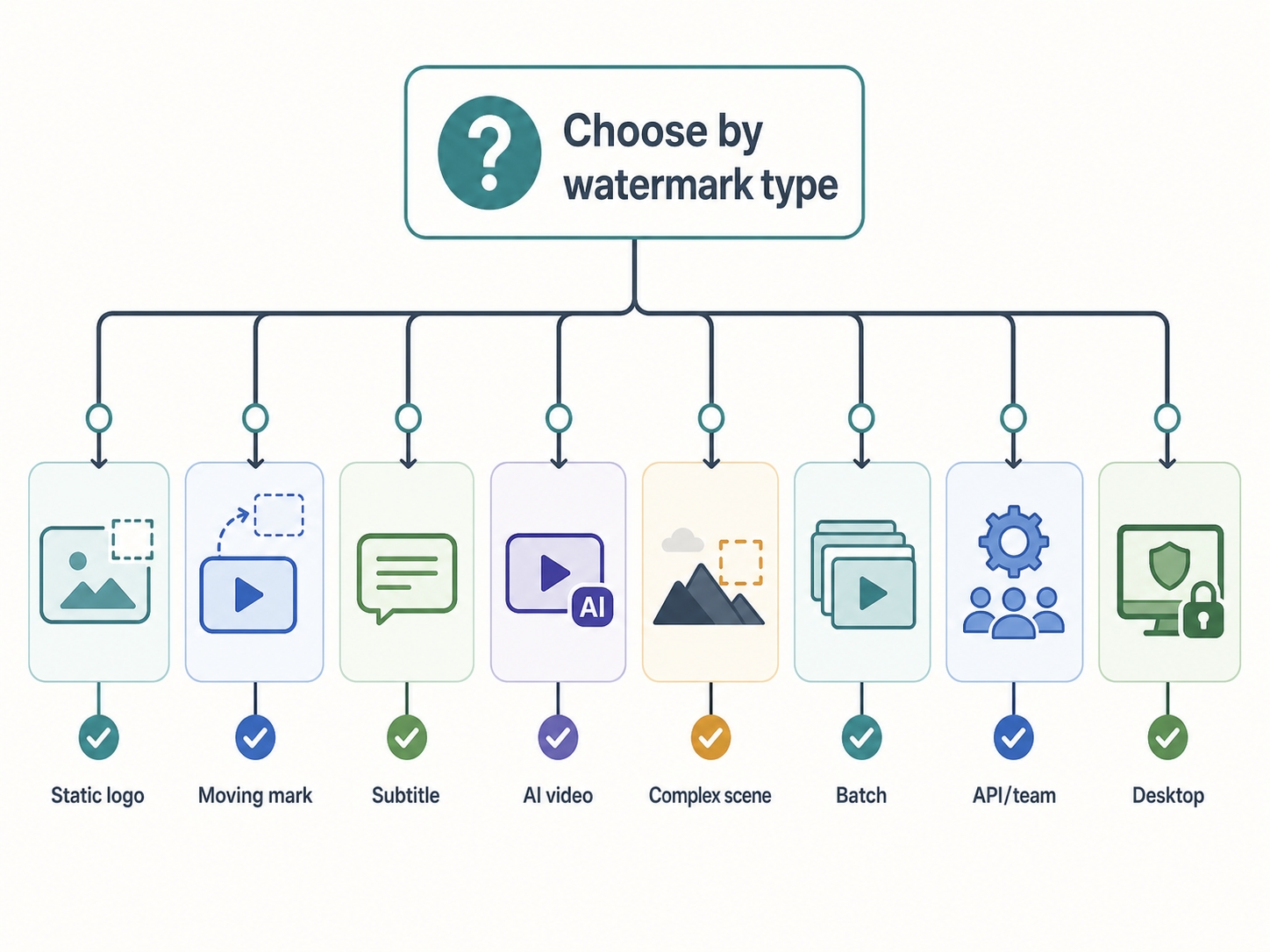
Choose AIAI Video Watermark Remover if you want a focused online tool for AI-video marks, social logos, editor-export watermarks, subtitles, timestamps, and complex inpainting cases. It is the best first choice when the goal is a clean, modern workflow rather than a generic blur or crop.
Choose Media.io if you want a watermark remover inside a larger video-editing suite. It is a better fit when you also need trimming, subtitles, compression, conversion, or general creative tools.
Choose Vmake AI if your footage has complex motion, product details, hands, faces, or reflections. Its manual erase/protect positioning makes it useful when automatic removal alone may not be enough.
Choose Pixelbin if you are working in a team or developer workflow. Its API and batch-processing positioning make it stronger for repeatable production systems.
Choose Wink AI if you want both auto and manual modes and may need batch upload across video and image files.
Choose UnWatermark AI if you want a quick no-signup test and your video fits the preview/upload constraints.
Choose AirBrush if you want a very simple browser-based tool for logo or text cleanup.
Choose Morph Studio if you are working with AI-generated video clips and want watermark removal inside a broader AI creative environment.
Choose PixBim if you prefer desktop software or local processing.
What Real Users Care About
Social discussion around video watermark removers tends to focus less on brand names and more on outcomes. Users repeatedly ask whether a tool is really free, whether it leaves blur, whether it handles moving marks, whether it has upload or duration limits, and whether it can process batches. Reddit threads also show demand for free tools, offline software, Sora-specific removers, and tools that do not quietly block full exports after processing.
That feedback matters because watermark removal pages often sound similar. Nearly every tool says it is AI-powered, fast, and quality-preserving. The real difference is whether it works on your footage, whether the free preview reflects the full export, and whether the pricing or credit model makes sense for the number of videos you need to process.