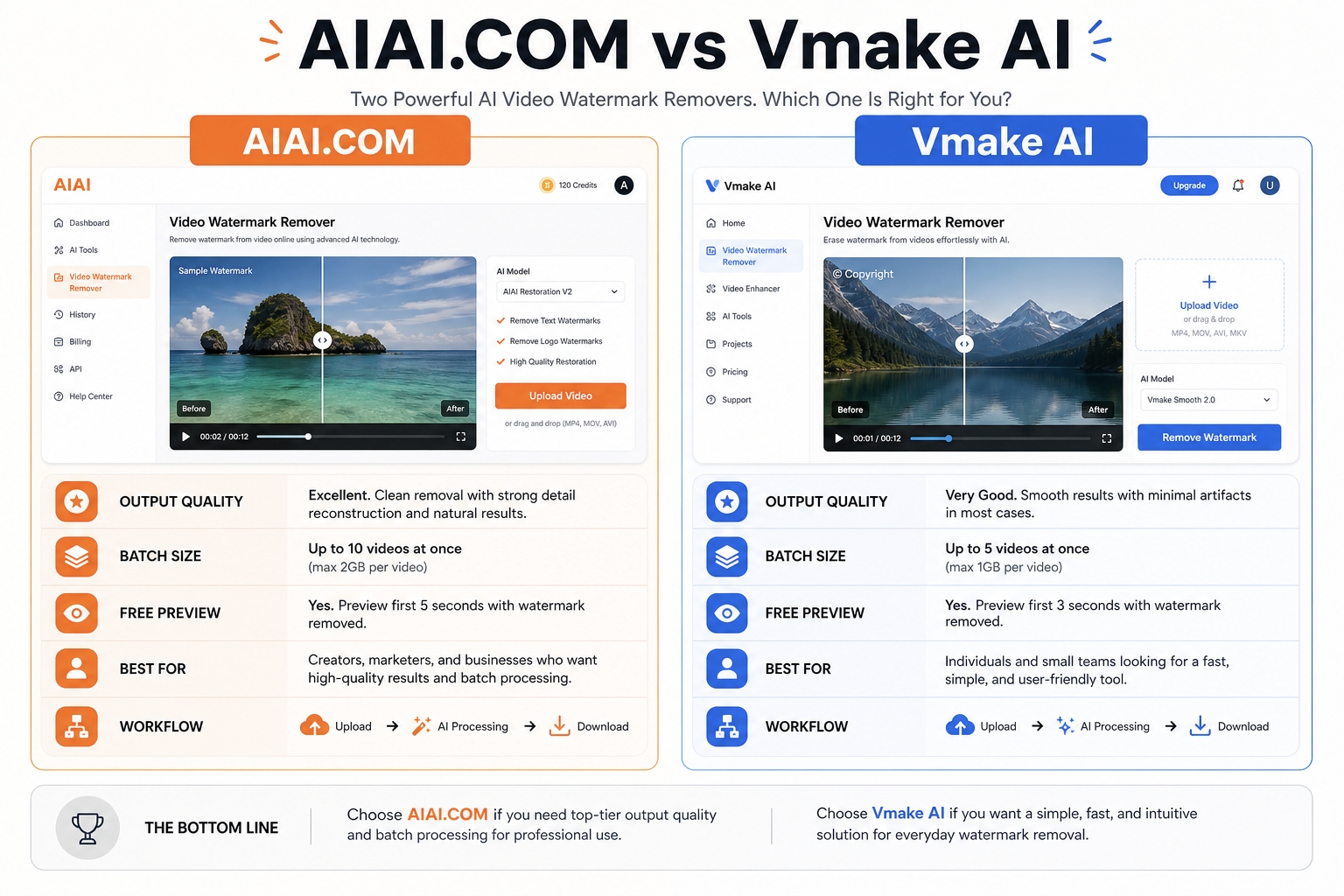
If you need a quick answer, AIAI.com video watermark remover is the better default choice for creators who want a focused browser-based tool for removing AI-video watermarks, logos, text, and timestamps with minimal friction and a stronger “original quality/no blur” positioning. Vmake AI Video Watermark Remover is the better pick if you care more about larger batch jobs, moving watermark handling, and extra cleanup control through erase/protect zones.
In other words, AIAI.com is the cleaner recommendation for solo creators, repurposing workflows, and people removing marks from Sora, Kling, Veo, TikTok, or YouTube-style assets. Vmake makes more sense for teams, bulk processing, and harder jobs where you want more workflow flexibility on complex scenes.
Quick Verdict
For most readers, AIAI.COM is the stronger all-around recommendation because it stays tightly focused on video watermark cleanup, supports common creator use cases, and presents a straightforward workflow for removing watermarks, subtitles, text, and timestamps without installing software.
Vmake is still a serious alternative. It stands out when your workflow is batch-heavy, when you want to process more files in one session, or when moving watermarks and difficult object cleanup matter more than a simple one-tool experience.
AIAI.COM vs Vmake AI Video Watermark Remover at a Glance
| Dimension | AIAI.COM | Vmake AI Video Watermark Remover | Who Wins |
|---|---|---|---|
| Best for | Creators who want fast, focused watermark removal for AI videos and social clips | Users who need batch cleanup and more control on harder scenes | Depends on workflow |
| Positioning | Dedicated video watermark remover with AI-model and platform-specific use cases | Broader AI cleanup tool for watermarks, text, subtitles, objects, and people | AIAI for focus, Vmake for breadth |
| Free preview | 3-second preview for free users | 5-second free preview | Vmake |
| Batch capacity | Up to 10 files at once, up to 500 MB per file | Up to 30 videos at once | Vmake |
| Supported formats | MP4, MOV, M4V, MKV, WEBM | MP4, MOV, AVI, and more | Vmake |
| Manual control | AI detection plus review or manual region selection | AI removal plus erase/protect zones | Vmake |
| AI-video focus | Strong focus on Sora, Kling, Veo, Runway, TikTok, YouTube, stock-watermark scenarios | Strong focus on Seedance, Kling, Sora, plus general video cleanup | AIAI for creator-facing specialization |
| Privacy language | SSL protection and deletion after 24 hours | Encrypted during processing and deleted right after completion | Vmake on stricter stated retention |
| Ease for casual users | Very easy, highly specific workflow | Easy, but part of a broader cleanup suite | AIAI |
| Best overall pick | Better for most individual creators and repurposing tasks | Better for batch-heavy or control-heavy jobs | AIAI narrowly overall |
How We Compared Them
This comparison is based on three things readers actually care about when choosing a video watermark remover:
- Output quality: whether the cleaned area looks natural or leaves obvious blur, warping, or texture damage.
- Workflow fit: upload limits, preview restrictions, format support, and whether the tool feels built for quick jobs or production-style batches.
- Real-world confidence: official product claims plus repeated themes from ranking pages, review snippets, and public discussion threads.
The pattern that keeps showing up is simple: readers do not just want “watermark removed.” They want a result that still looks usable, especially around edges, text overlays, faces, motion, and textured backgrounds.
Feature and Capability Comparison
AIAI.COM
AIAI.com is designed as a specialized online video watermark remover rather than a broad editing suite. Its product page is explicit about the kinds of marks it targets: watermarks, logos, text, subtitles, and timestamps. It also leans hard into modern creator use cases, especially AI-generated video from tools like Sora, Kling, Veo, and Runway, plus reposted or repurposed content from platforms like TikTok and YouTube.
That specialization matters. Instead of trying to be everything, AIAI.com frames the product around the exact problem many creators have: “I have a good clip, but I need the branding, caption layer, or timestamp gone without wrecking the frame.” The workflow is straightforward: upload the file, let AI detect the marked area, review the detection, and manually adjust the region if needed.
AIAI.com also makes several practical claims that help real users decide faster:
- No installation required
- Original-quality output positioning
- No-blur positioning
- Up to 10 files at once
- Up to 500 MB per file
- Support for MP4, MOV, M4V, MKV, and WEBM
The main tradeoff is that AIAI.com’s free experience is more limited than Vmake’s in preview length, and its batch ceiling is lower. If you process many files every day, those limits will matter.
Vmake AI Video Watermark Remover
Vmake positions its tool more broadly. It is not only about removing watermarks. It also pushes subtitle removal, text removal, object cleanup, and even person/background cleanup within the same ecosystem. On the watermark page, Vmake highlights one-click removal, moving watermark detection with smart tracking, erase/protect zones for fine-tuning, and batch processing for up to 30 videos at once.
That makes Vmake feel less like a single-purpose remover and more like a cleanup workstation for marketing teams, content operations, and users touching many assets in one session.
Vmake’s practical strengths are easy to spot:
- Free 5-second preview
- Up to 30 videos per batch
- Support for MP4, MOV, AVI, and more
- No-signup positioning for quick testing
- Moving watermark support
- Erase/protect zones for more difficult scenes
- Stronger stated privacy language around encrypted processing and immediate deletion after completion
Its main downside is that breadth can also make the product feel less focused. If your goal is simply to remove a watermark from an AI clip or social export as quickly as possible, the extra suite positioning is not always an advantage.
Quality, Scene Difficulty, and Natural-Looking Results
This is where the comparison gets more nuanced.
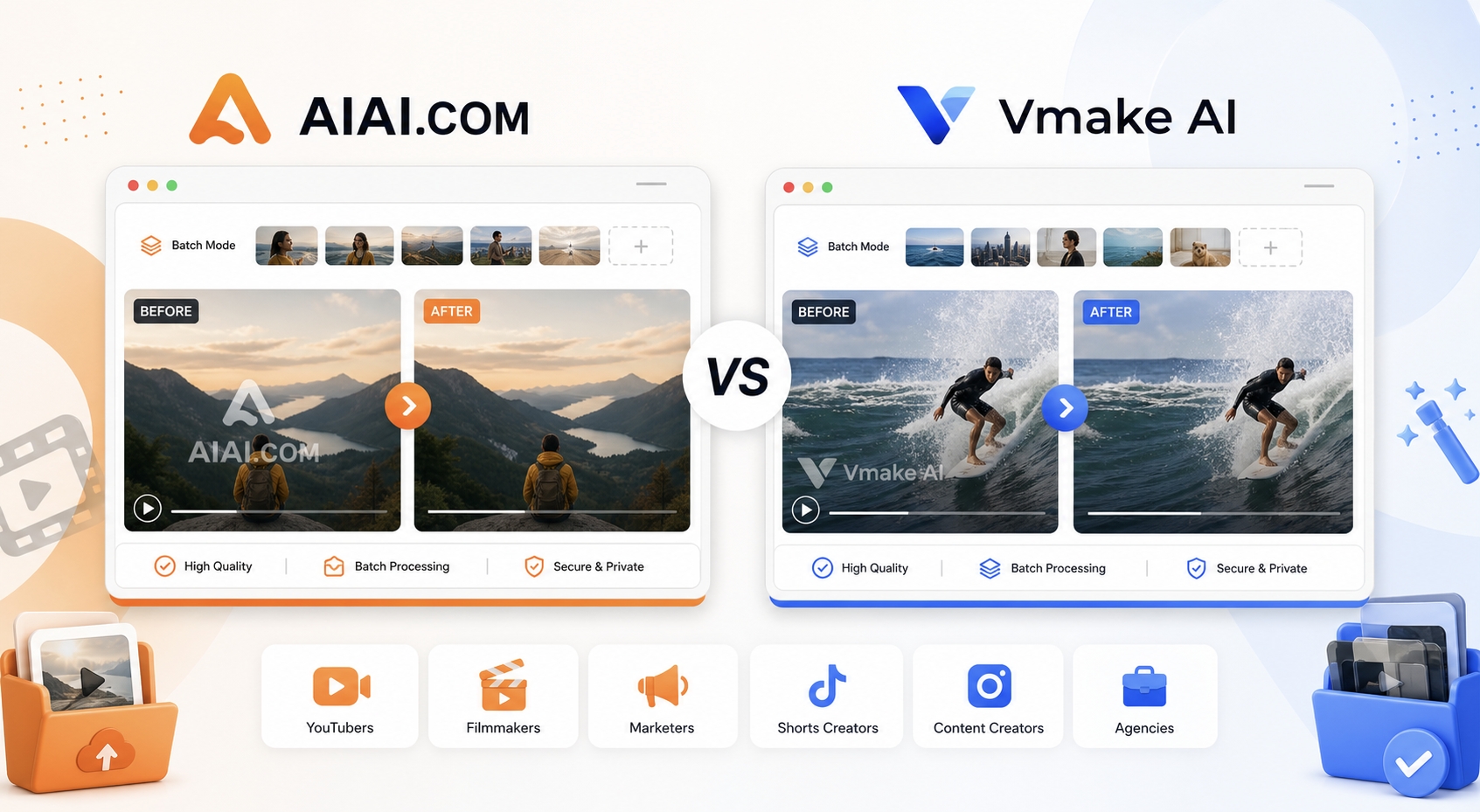
AIAI.com’s message is very clear: it wants users who are worried about blur, facial distortion, damaged edges, or ruined text layers underneath the mark. The product page repeatedly emphasizes natural reconstruction and preserving original quality. That is especially relevant for AI-generated footage, stylized visuals, anime-like frames, and clips with dense texture where sloppy inpainting becomes obvious fast.
Vmake also leans into quality, but in a slightly different way. Its page emphasizes smart tracking for moving marks, cleanup across common sources like phone, camera, and screen recordings, and user control through protect zones. In practical terms, that suggests Vmake is stronger when the removal target is not static, when motion consistency matters, or when the user wants to protect a subject while cleaning the surrounding mark.
So the quality verdict is not “AIAI.com always wins” or “Vmake always wins.”
- Choose AIAI.com if the scene is mostly about preserving visual cleanliness in a straightforward watermark-removal workflow.
- Choose Vmake if the mark moves, the batch is large, or the scene needs more guided cleanup control.
Use Cases and Best-Fit Users
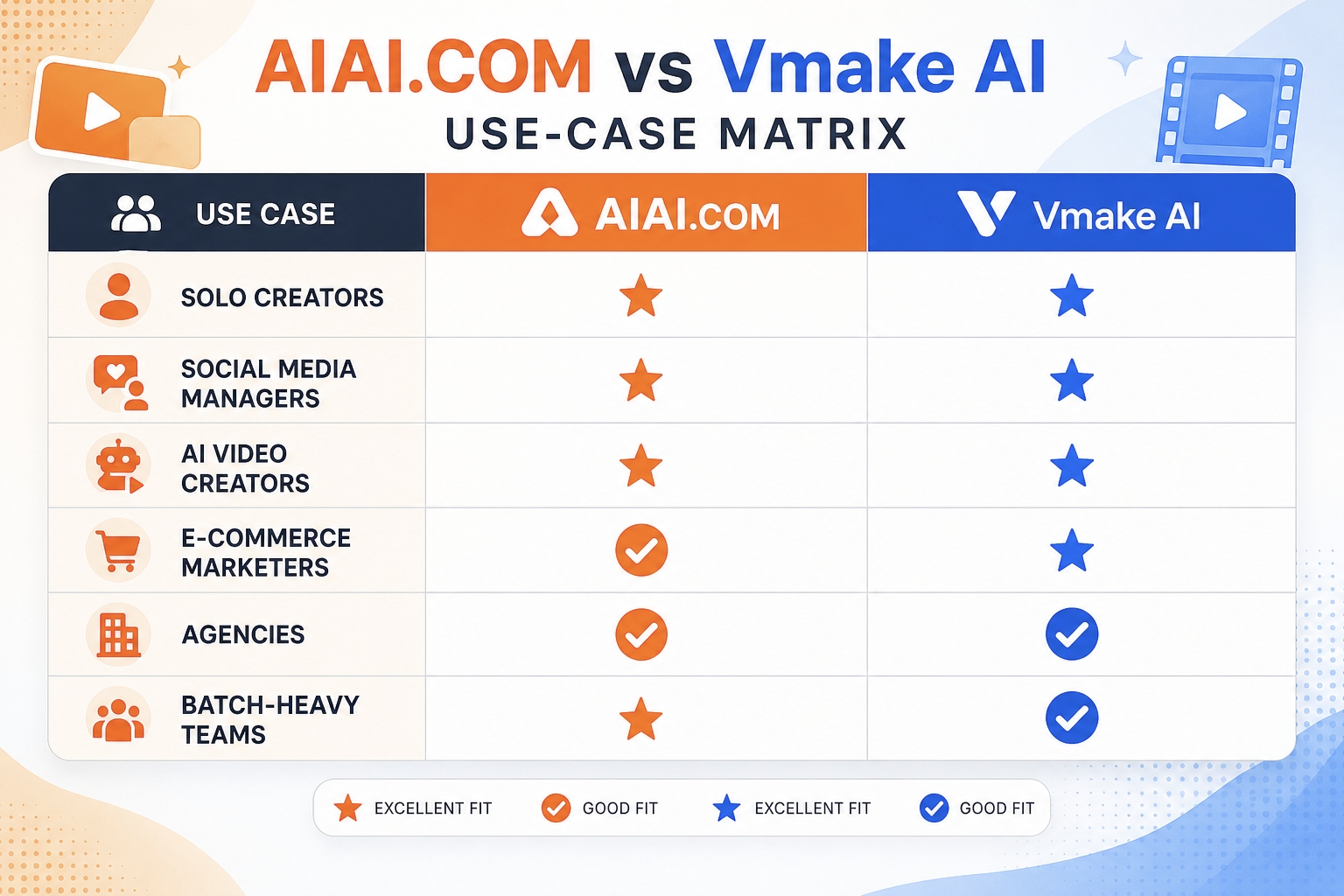
Choose AIAI.COM if you are:
- A solo creator repurposing AI-generated videos
- A social media editor cleaning TikTok, YouTube, or stock-asset watermarks
- A marketer who wants a focused browser tool instead of a broader suite
- A user who values simple upload-detect-download workflows
- Someone more sensitive to blur, edge damage, and “obvious AI cleanup” artifacts
Choose Vmake if you are:
- Running bulk cleanup across many short videos
- Working with moving watermarks or more complex overlay behavior
- Handling marketing or e-commerce content that may also need object/text cleanup
- Testing tools quickly without signup friction
- Part of a team that benefits from a broader video-cleanup stack
Pricing and Value Logic
Neither tool is best judged only by its headline “free” message. The real value comes from what you get before hitting a paywall and how much friction exists in the workflow.
AIAI.com gives free users a 3-second preview and uses a credits model for fuller access. That makes the tool easy to test, but it is clearly optimized around conversion after the user sees that the result looks good. For users who care more about accuracy than long free usage, that is a reasonable trade.
Vmake gives a 5-second preview and promotes free watermark removal with full HD export after the preview step, while also emphasizing no-signup testing. That lowers the barrier for fast experimentation, especially if you are comparing several tools back to back.
Value-wise:
- AIAI.com is the better value if better-looking cleanup is your top criterion and you do not need large daily batch throughput.
- Vmake is the better value if operational efficiency, batch size, and quick testing matter more.
Strengths and Weaknesses
AIAI.COM strengths
- More focused product positioning for the exact watermark-removal job
- Better fit for AI-video and creator-led use cases
- Clear support for logos, text, subtitles, and timestamps
- Strong messaging around preserving original quality and avoiding blur
- Manual region review helps when auto-detection needs correction
AIAI.COM weaknesses
- Shorter free preview
- Lower batch ceiling than Vmake
- Credit-based flow adds more conversion friction than pure no-signup testing
Vmake strengths
- Larger batch capacity
- Longer free preview
- Better stated support for moving watermark cleanup
- Erase/protect zones create more control on difficult scenes
- Strong privacy wording and easy test-first workflow
Vmake weaknesses
- Broader product positioning can feel less specialized for dedicated watermark-only buyers
- More “suite-like” experience than focused-tool experience
- For simple creator jobs, its extra controls may be unnecessary
What Real Users Seem to Care About
Public discussion around watermark removers tends to repeat the same concerns: whether the output still looks natural, whether the watermark is actually gone frame to frame, whether previews are too restrictive, and whether the tool leaves a telltale blur patch.
The community signals we reviewed were directionally consistent with the product positioning:
- Users recommending Vmake often mention that it works well on video, can remove text too, and feels useful for practical cleanup beyond just static watermarks.
- Positive Vmake feedback also tends to emphasize batch convenience and surprisingly clean results on older AI clips, especially Sora-related content.
- Broader Reddit-style discussions about watermark removal show that users are highly skeptical of tools that claim removal but leave visible artifacts, especially at the start of the clip or in textured scenes.
That skepticism is exactly why AIAI’s positioning around “original quality” and “no blur” is strategically strong. It speaks directly to the biggest buyer objection.
Which One Should You Choose?
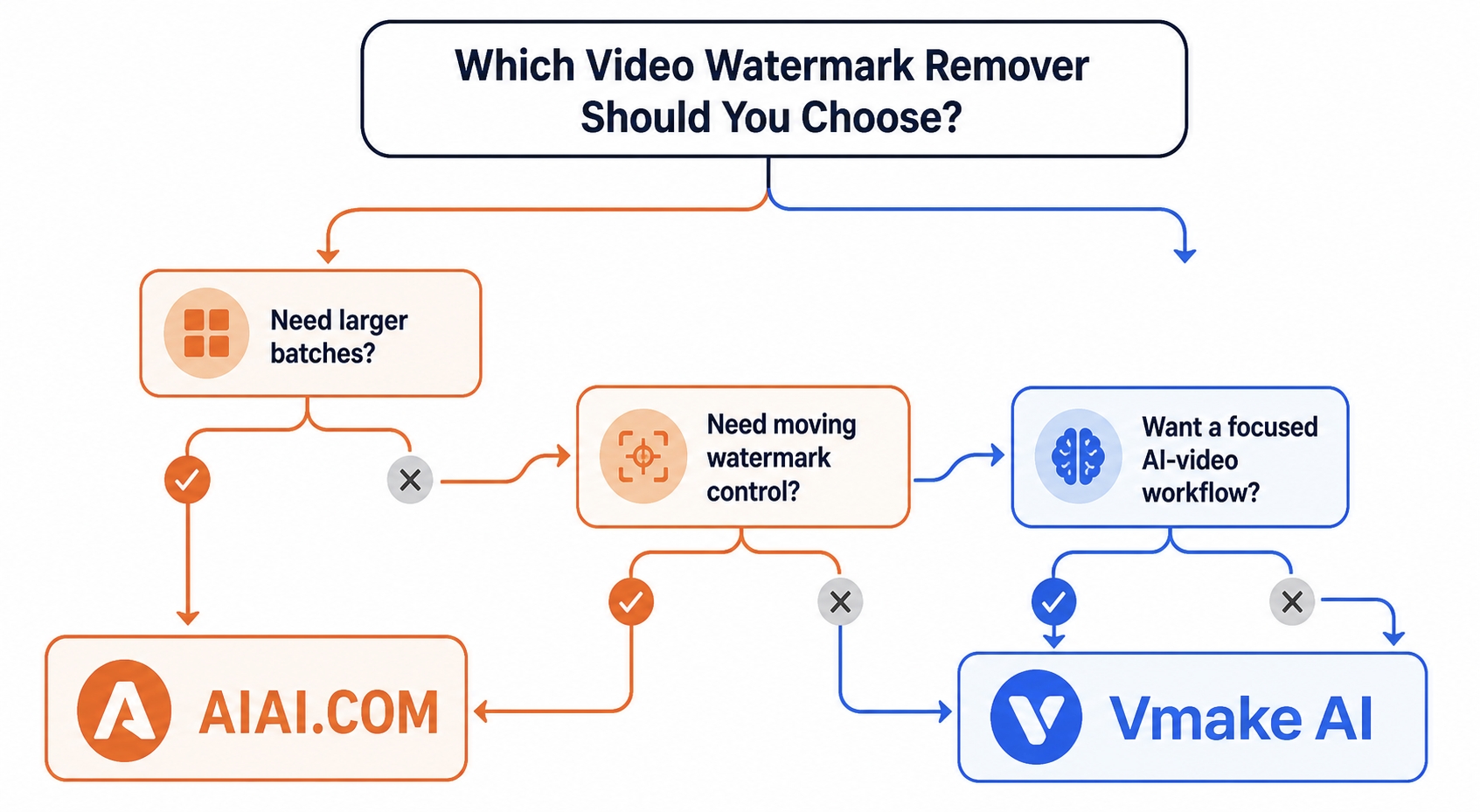
If you want the shortest answer possible, choose AIAI.COM unless you already know you need heavy batch processing or moving-mark control.
Choose AIAI.COM when your decision criteria are:
- Clean-looking output
- AI-video and social-video specialization
- Simplicity
- Focused tool experience
Choose Vmake when your decision criteria are:
- Bigger batches
- Longer free preview
- Moving watermark handling
- More manual cleanup control
My overall recommendation is this: AIAI.COM is the better editorial winner for most searchers typing this comparison query because it aligns more closely with what the average user actually wants, which is fast, believable watermark removal without installing software or learning a full editing workflow. Vmake is the better conditional recommendation for advanced or batch-heavy users.
FAQ
Is AIAI.COM better than Vmake AI Video Watermark Remover?
For most individual creators, yes. AIAI.COM is the better default option when you want a focused online watermark remover with strong AI-video relevance and a quality-first positioning. Vmake is better when batch size, moving watermark support, and extra cleanup control matter more.
Which tool is better for batch processing?
Vmake is better for batch processing because it supports up to 30 videos at once, while AIAI.COM supports up to 10 files at once.
Which tool is better for AI-generated video watermarks?
AIAI.COM has the stronger creator-facing specialization for AI-generated clips, including use cases tied to Sora, Kling, Veo, and similar outputs. Vmake also supports AI-video cleanup well, but its positioning is broader.
Which one is easier for beginners?
AIAI.COM is slightly easier for beginners because the workflow feels more focused around one core task. Vmake is still easy to use, but its broader suite and extra controls make it feel a bit more operational.
Is it legal to remove watermarks from videos?
It depends on the content and your rights to use it. These tools are safest for content you own, content you are authorized to edit, or internal repurposing workflows where you have permission. You should not use watermark removal to infringe copyright or platform rights.
Final
AIAI.COM vs Vmake AI Video Watermark Remover is not a case where one tool destroys the other in every category. Vmake is clearly stronger for larger batches, longer previews, and harder-motion cleanup. But AIAI.COM is the better overall recommendation for the majority of readers because it is more tightly aligned with the actual purchase intent behind this query: remove watermarks from videos quickly, keep the result natural-looking, and do it inside a focused online workflow.
If your priority is a simple, quality-first tool for AI videos, creator exports, captions, logos, and timestamps, AIAI.COM is the one I would choose first. If your priority is scale and scene control, Vmake is the better alternative to test second.