
An AI image object remover helps you erase unwanted elements such as people, text, logos, wires, clutter, or background distractions from a photo while rebuilding the missing area so it still looks natural. The best tools do more than blur or cover an object. They use AI inpainting and surrounding-pixel analysis to reconstruct the background in a visually believable way.
If you want a fast browser-based option, AIAI’s AI Image Object Remover is designed for exactly this workflow: upload an image, brush over the object you want to erase, and let the tool rebuild the background automatically.
What Is an AI Image Object Remover?
An AI image object remover is a photo editing tool that removes selected objects from an image and fills the cleared area with context-aware content. In practice, that means the software looks at the surrounding pixels, textures, edges, and colors, then predicts what should appear where the unwanted object used to be.
This is different from older editing methods that rely heavily on manual clone stamping, healing brushes, or patch tools. Adobe’s official Photoshop help for Content-Aware Fill shows how traditional object removal often starts with making a selection and then filling the area using surrounding pixels, with manual adjustment still playing an important role in the workflow. That approach is powerful, but it can be slow and technical for everyday users.
AI object removers simplify that process. Instead of forcing users to work through multiple retouching tools, newer systems focus on automatic detection, inpainting, and faster cleanup. Research also supports this direction: recent work on instruction-based inpainting and object removal shows that realistic cleanup depends on how well the model understands the removed region and reconstructs the surrounding scene coherently.
When Should You Use an AI Image Object Remover?
An AI image object remover is useful when the problem is visual cleanup, not full image redesign.
Common use cases include:
- Removing photobombers from travel photos
- Cleaning product images for e-commerce listings
- Erasing text, logos, or distracting elements from marketing visuals
- Removing power lines, signs, blemishes, or clutter from lifestyle images
- Simplifying social media images before publishing
- Cleaning property photos for real estate listings
This aligns closely with the positioning on the AIAI page, which highlights photography, e-commerce, social media, and real estate as common scenarios. The page also states support for JPG, JPEG, PNG, and WEBP uploads, with up to 10 files at once and 20MB per file, which makes it practical for both one-off edits and small batch workflows.
How an AI Image Object Remover Works
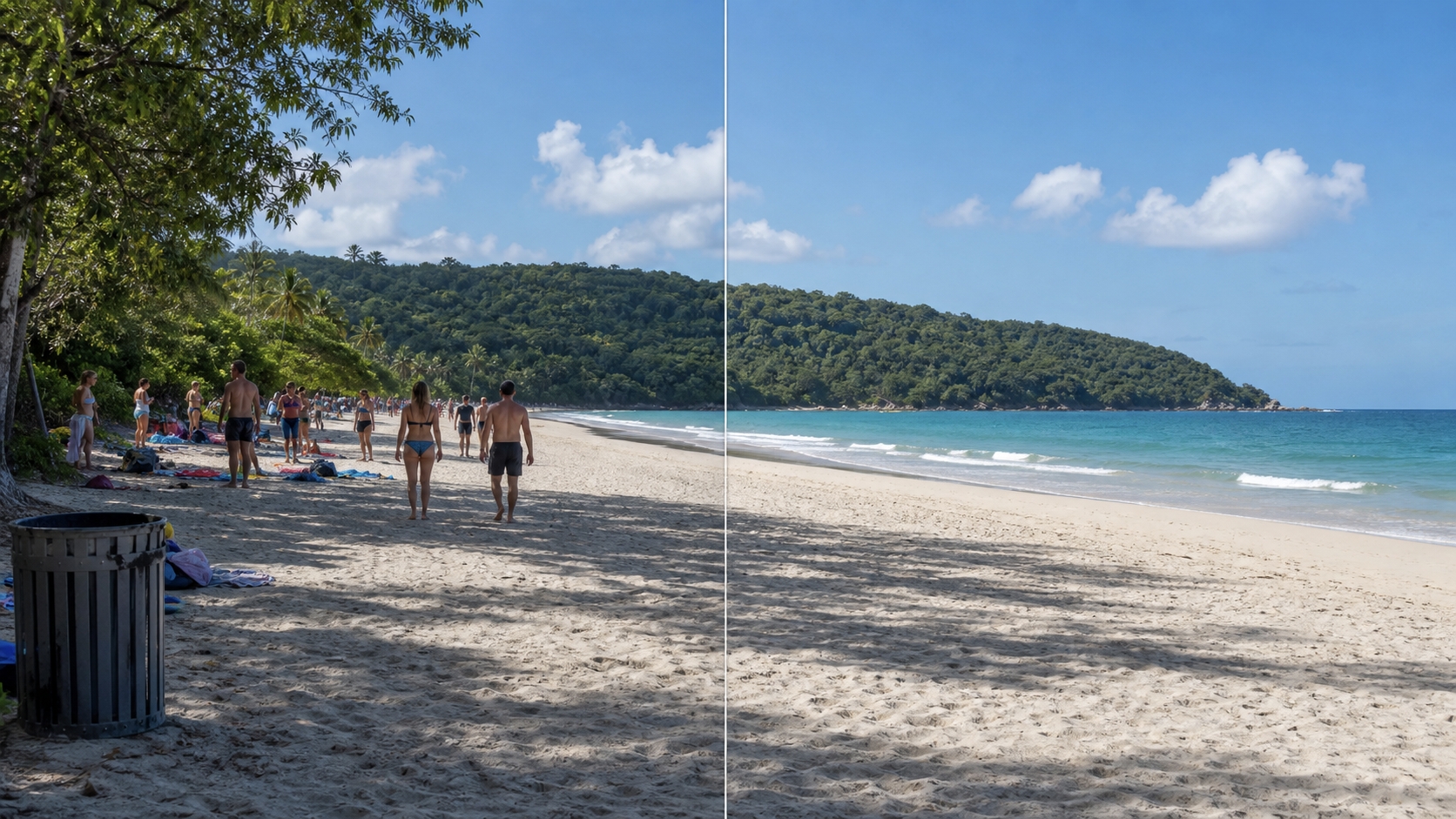
At a high level, the workflow is simple:
- Upload the image.
- Brush over the object you want to remove.
- Let the model reconstruct the area.
- Review and download the cleaned image.
At a technical level, the challenge is harder than it looks. The model has to decide:
- what belongs behind the removed object
- how nearby edges should continue
- how textures should reconnect
- how lighting and shadows should remain believable
That is why some images clean up beautifully while others still show artifacts. Recent academic work on object removal points out that blurry synthesis, incomplete removal, and unrealistic reconstruction are still active problems in the field, especially on difficult textures or ambiguous backgrounds.
In other words, AI object removal works best when the unwanted object is clearly separable and the hidden background is reasonably predictable.
What Makes a Good Result Look Natural?
A strong result should do four things well:
| Quality factor | What it means | Why it matters |
|---|---|---|
| Edge continuity | Lines and borders continue naturally | Prevents broken walls, wires, or product edges |
| Texture consistency | Grass, skin, fabric, or surfaces look coherent | Reduces visible patchiness |
| Color accuracy | The filled area matches nearby tones | Prevents obvious retouch marks |
| Low artifact rate | No smudges, ghosting, or blur halos | Makes the edit believable |
This is where a strong AI image object remover separates itself from a weak one. The AIAI page positions its tool around “AI-powered precision,” “retain image quality,” and “100% automatic & fast,” which matches what users actually want from this keyword: speed without obviously fake results.
When AI Object Removal Works Best
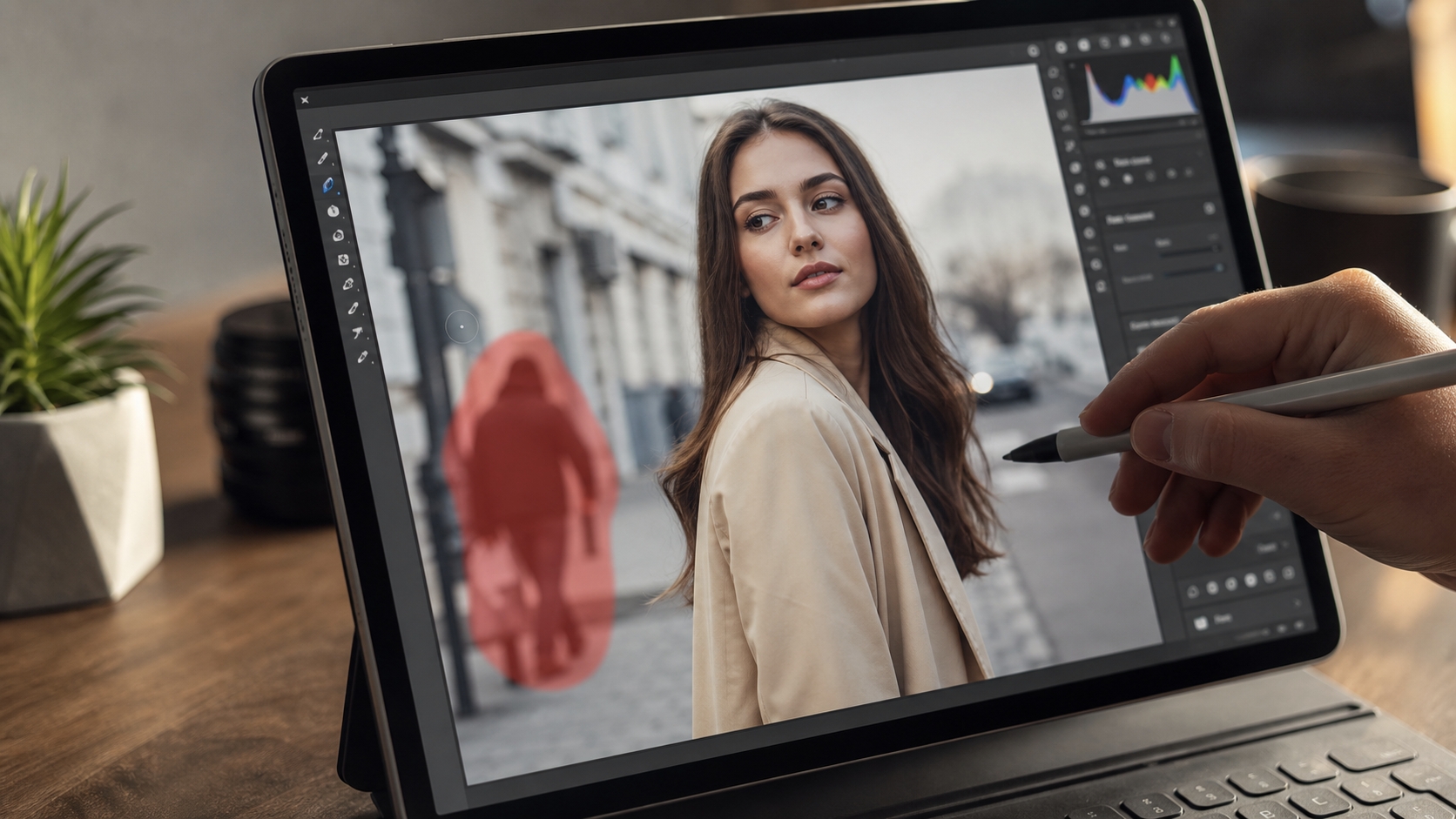
AI object removal usually performs best when:
- The removed object is relatively small
- The background is simple or repetitive
- The area behind the object can be predicted visually
- The source image is clear enough to give the model usable context
Examples of easier edits:
- removing a tourist from a beach scene
- erasing a sign from a plain wall
- removing a small object from a product background
- deleting wires from open sky
It becomes harder when the removed area overlaps:
- faces
- hands
- hair
- detailed text
- dense foliage
- repeating patterns
- sharp architectural geometry
This is one reason Adobe still documents multiple manual refinement steps around selection and fill workflows. Even advanced systems do not solve every hard case perfectly.
Why a Browser-Based Tool Appeals to Real Users
A lot of people searching AI Image Object Remover are not looking for a full desktop editing suite. They want speed, convenience, and acceptable quality without learning Photoshop.
That is where a browser-based tool has a strong advantage:
- no installation
- fast upload-to-result workflow
- easier onboarding for non-designers
- useful for marketers, creators, e-commerce teams, and casual users
The AIAI page is clearly built around that promise. It emphasizes no signup, AI inpainting, seamless background reconstruction, fast automatic processing, and privacy protection. It also notes that images are processed securely and automatically deleted after a short period, which is an important trust factor for users uploading original photos.
Why This Page Is Worth Highlighting
If the article’s job is not just to inform but also to guide users toward a usable solution, the linked AIAI page is a strong fit for this keyword because the page is tightly aligned with search intent.
The page specifically serves people looking for:
- a free AI image object remover
- online object removal
- fast background reconstruction
- batch cleanup support
- common real-world use cases
That alignment matters. A lot of content around object removal drifts into generic AI photo editing talk. This page stays focused on the actual removal workflow, which is exactly what many searchers want.
A natural way to position it in the article is not as a hard sell, but as the next practical step once the reader understands how AI object removal works and when it is likely to succeed. If someone wants to try a browser-based workflow immediately, AI Image Object Remover is the most relevant destination in this content flow.
What Real Users Care About Most
In practice, people comparing object removers usually care about five things:
- how fast the cleanup is
- whether the result looks natural
- whether text, people, and clutter can all be removed
- whether the tool works on mobile or in-browser
- whether uploaded images are handled safely
That is why a feature page that only says “AI-powered” is usually not enough. It needs to explain formats, speed, privacy, use cases, and output quality in a way that maps to real tasks. The AIAI page does a reasonable job on that by surfacing supported formats, quick steps, testimonials, FAQ coverage, and use-case sections instead of only generic marketing copy.
FAQ
What is the best AI image object remover for beginners?
A browser-based tool is usually the easiest place to start because it removes installation, setup, and technical editing complexity.
Can I remove text from an image with an AI object remover?
Yes. Many object removers can erase text overlays, labels, or small logos, as long as the surrounding background is reconstructable.
Does AI object removal work on mobile?
Usually yes, if the tool runs in a modern browser. Web-based tools are often easier to access across devices than desktop-only editors.
Is it safe to upload my images to an online object remover?
You should always check privacy handling. AIAI states that images are processed securely and deleted after a short period, which is a useful signal for users comparing tools.
What should I do if the AI result looks unnatural?
Try a smaller selection, a clearer source image, or a simpler object first. If the area is highly detailed, some manual refinement may still be necessary.
Final Talk
The keyword AI Image Object Remover is driven by practical intent. Users want to remove unwanted things from photos quickly, keep the result natural, and avoid complicated editing software. That makes this topic a strong fit for an article that explains both the technology and the real-world decision behind using it.
AIAI.com’s AI Image Object Remover fits that intent well because it is focused, browser-based, easy to try, and positioned around the exact tasks users care about: removing clutter, people, text, and other distractions while preserving the look of the image. For readers who want a direct next step after learning how object removal works, that page is a natural destination.