What Is an AI Video Watermark Remover?
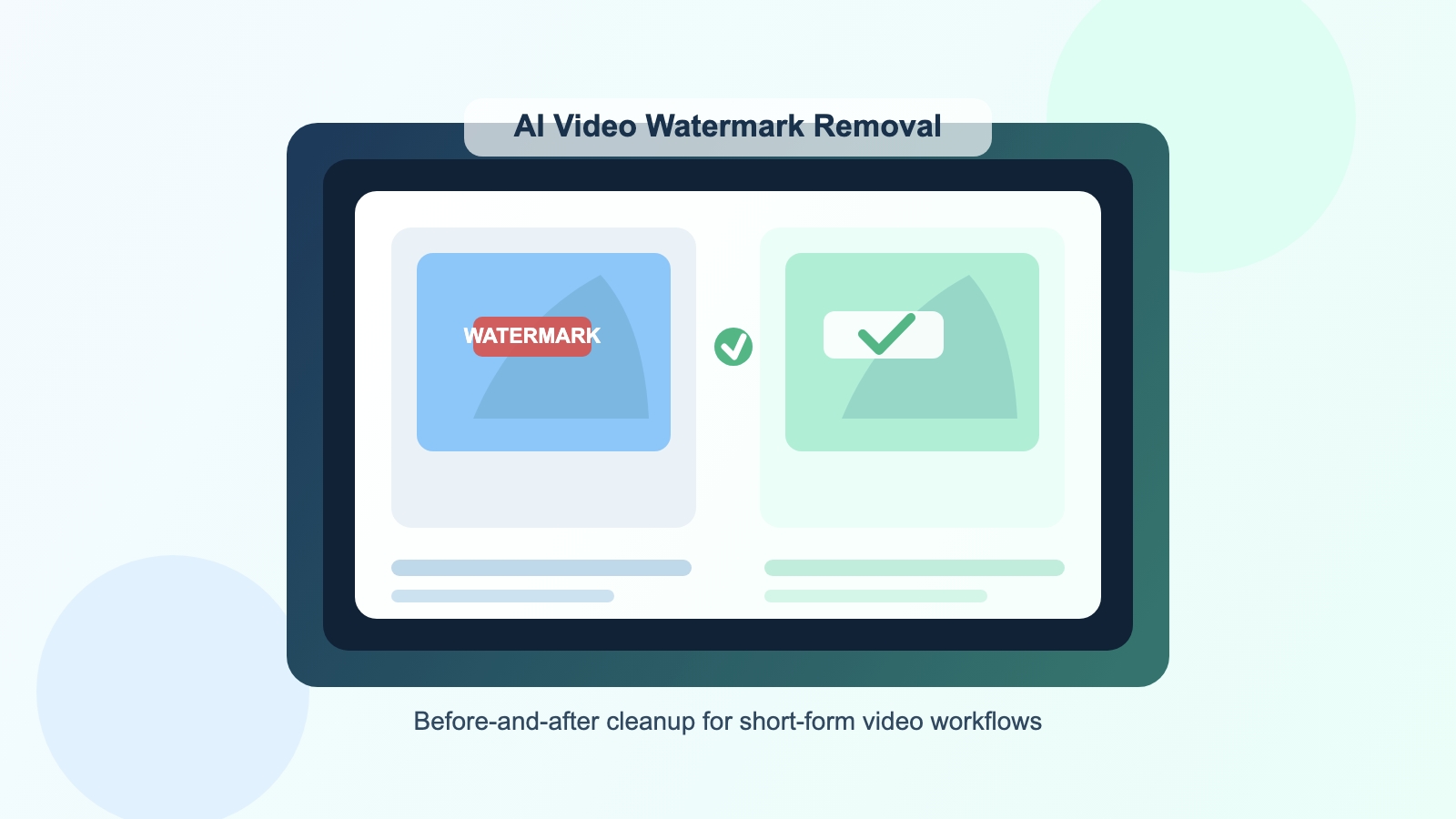
An AI video watermark remover is a tool that removes logos, text overlays, subtitles, timestamps, or other unwanted objects from a video by reconstructing the missing background. Unlike older blur-based tools, modern AI systems try to create a cleaner and more natural result.
This matters because traditional blur or mosaic patches often leave visible evidence behind. On short-form platforms, low-quality edits can reduce watch time, make ads look less native, and weaken the final presentation of a product or brand.
The best online watermark remover tools now rely on video inpainting, which combines:
- Spatial analysis of surrounding textures, colors, edges, and lighting
- Temporal analysis of nearby frames to infer what is behind the unwanted object
- Frame-by-frame reconstruction to keep the final video visually consistent
Why Creators Need a Supawork Alternative
Supawork is part of a wider AI product ecosystem, and that broader positioning can be useful for people who want access to many AI features in one place. But many creators are not actually looking for a broad workspace. They are looking for a fast, reliable, and affordable watermark remover.
That is where a focused alternative becomes interesting.
When users search for a Supawork alternative, they usually care about one or more of these points:
- Lower cost per processed video
- A simpler interface with less dashboard friction
- Faster repetition across many clips
- Flexible top-up pricing instead of heavy subscription dependence
- Clean results that do not look obviously edited
For individual creators, that may mean keeping monthly software expenses under control. For agencies or e-commerce teams, it often means reducing the operational cost of cleaning dozens or hundreds of videos per campaign.
How AI Video Inpainting Works
Before comparing plans and workflows, it helps to understand the technology behind AI video watermark removal.
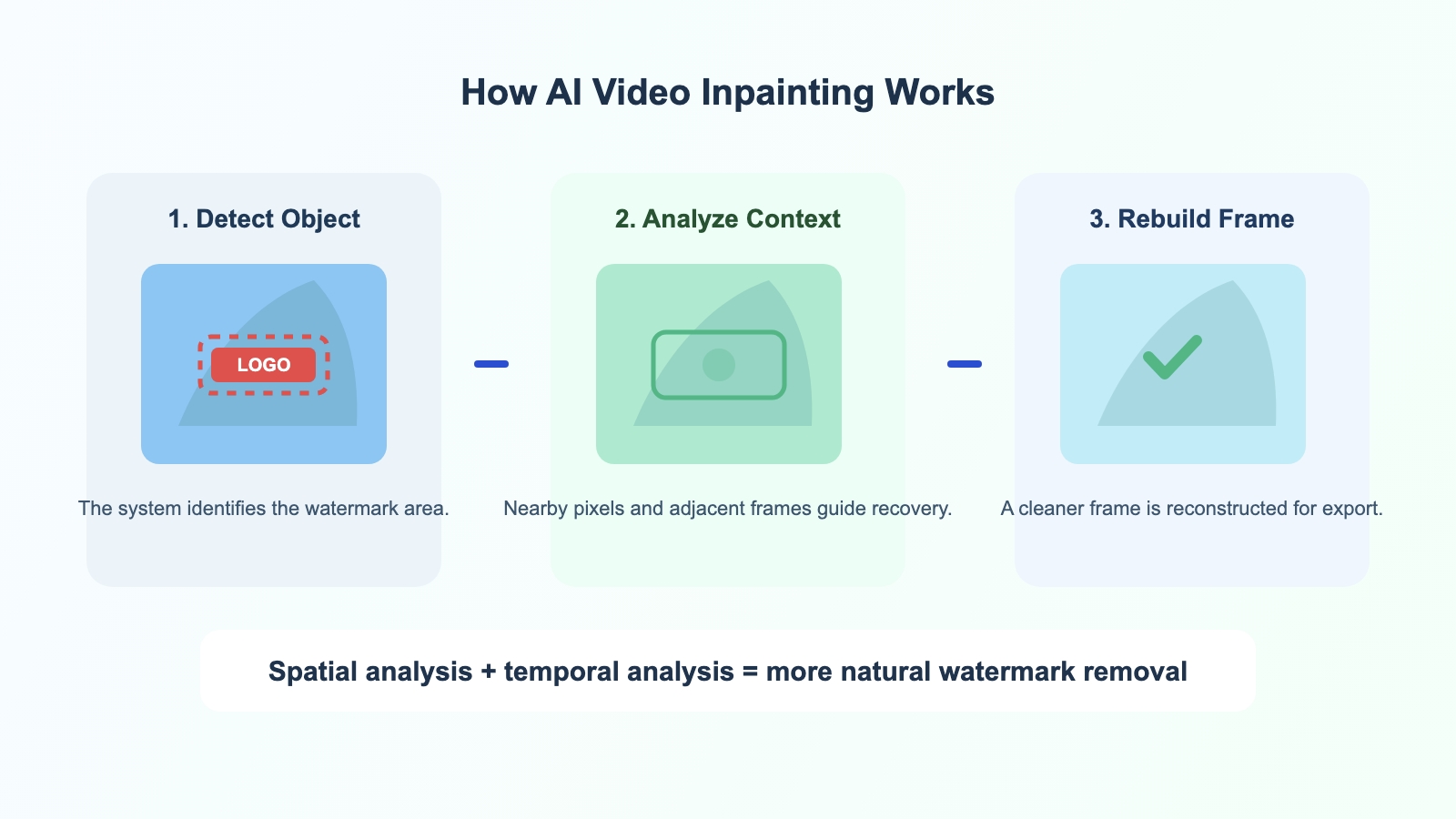
When a user selects a watermark area, the system does not only analyze the marked region. It also studies nearby pixels and surrounding frames to estimate what the hidden background should look like.
In simple terms, the process looks like this:
- The watermark, logo, subtitle, or text overlay is detected or masked.
- The AI analyzes patterns around that area in the current frame.
- The system compares nearby frames to gather missing context.
- The tool reconstructs the region and generates a cleaner output.
This is why modern tools can outperform old blur-based solutions. Instead of simply obscuring the watermark, they attempt to rebuild the scene more naturally.
Both Supawork and WatermarkRemover.aiai.com appear to be built around this newer AI-based approach. The difference is less about whether they use AI at all, and more about how the product is packaged, priced, and optimized for real workflows.
Supawork vs WatermarkRemover.aiai.com
1. Product Focus
Supawork appears to be part of a multi-feature AI platform. That may appeal to users who want access to tools beyond watermark removal, such as avatar generation, video transformation, and other AI utilities.
WatermarkRemover.aiai.com takes a narrower approach. It is positioned as a focused utility built around removing unwanted visual elements from media assets quickly.
From an SEO content standpoint, this is the clearest positioning difference:
Supawork= broader AI workspaceWatermarkRemover.aiai.com= specialized watermark removal tool
For buyers with narrow intent, specialization is often easier to evaluate and easier to adopt.
2. User Experience and Workflow
Searchers looking for the best AI video watermark remover are usually not comparing abstract features. They are comparing workflow friction.
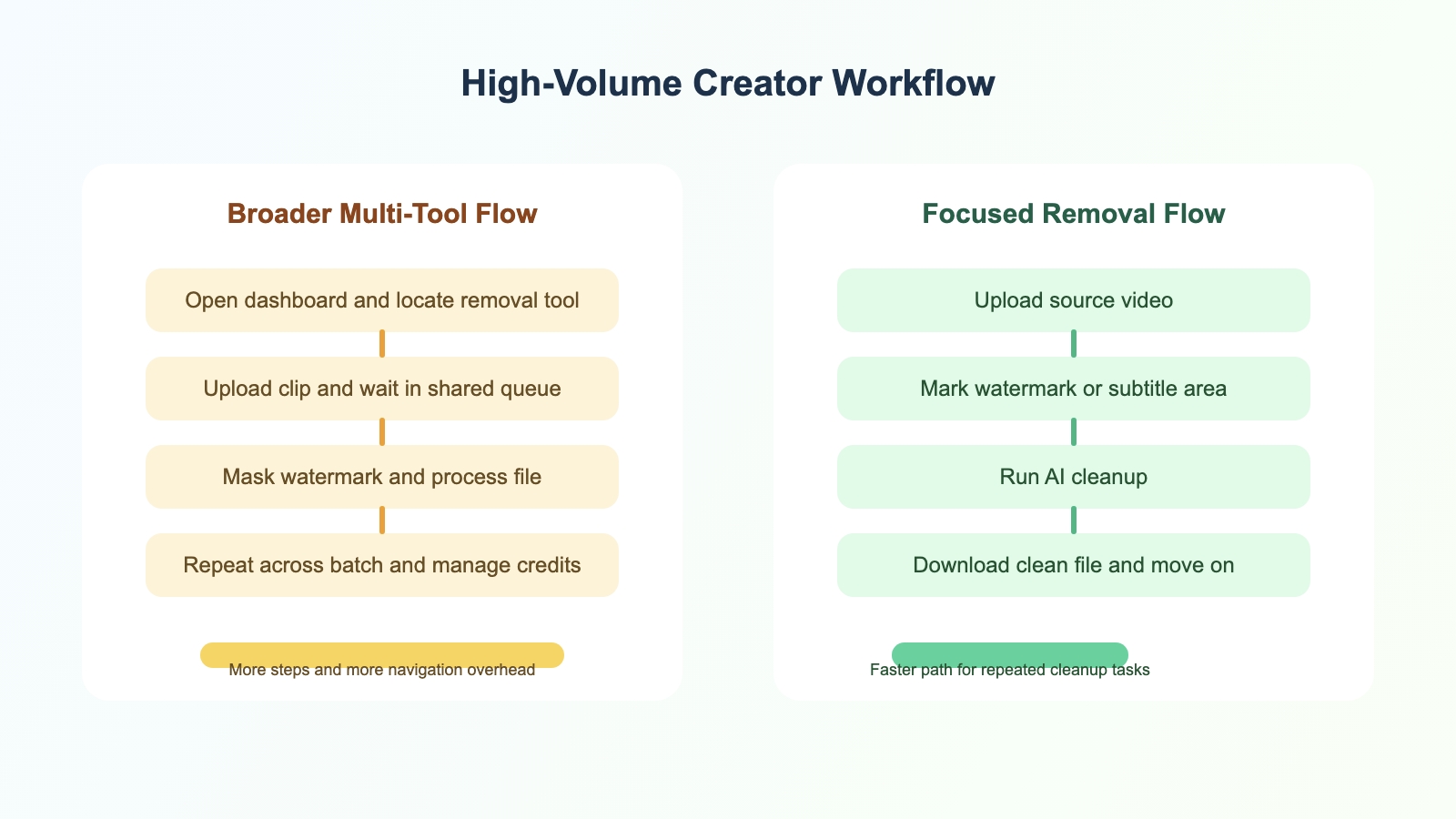
If the job is to clean 50 product demo videos before running native ads, every extra click matters. Multi-tool platforms can be useful, but they can also slow down repetitive tasks if users must navigate a crowded interface before reaching the one tool they need.
By contrast, a focused tool generally follows a simpler path:
- Upload the source file
- Highlight the watermark or unwanted object
- Run AI processing
- Download the cleaned video
That kind of direct workflow is often a better fit for batch production.
3. Pricing and Cost Per Asset
Pricing is one of the strongest reasons users search for a Supawork alternative.
Many AI tools use subscription plans or credit systems that are difficult to compare at a glance. For high-volume users, the real question is not just the monthly fee. It is the effective cost per useful output.
Based on the source material provided, WatermarkRemover.aiai.com uses two pricing tracks:
- Free plan: 20 credits
- Pro plan: $7.99 for the first month, then $19.99/month with 300 credits
- Ultimate plan: $39.99/month with 800 credits
It also offers pay-as-you-go packs:
- $9.99 for 400 credits
- $37.99 for 3,000 credits
- $89.99 for 8,000 credits
This structure is likely to appeal to:
- Freelancers with irregular project volume
- E-commerce sellers cleaning supplier clips
- Agencies that need flexible top-up capacity
- Buyers who do not want to overpay for unrelated AI features
Supawork may still make sense if your team actively uses a wider set of AI tools under one subscription. But if your main use case is watermark removal, a specialized pricing model is easier to justify and easier to budget around.
Which Tool Is Better for SEO-Driven Video Operations?
If your content business depends on publishing frequently, the best tool is usually the one that helps you maintain both quality and throughput.
For SEO-driven and content-driven businesses, this matters in several ways:
- Faster cleanup means more content can be republished and tested
- Better visual quality can improve retention and ad performance
- Lower per-video cost protects margin as volume grows
- Simpler workflow reduces editing overhead for teams
That does not automatically make every specialized tool better. But it does mean focused tools often win for teams with repetitive output demands.
In that context, WatermarkRemover.aiai.com appears to be the stronger fit for:
- High-volume short-form content creation
- Supplier footage cleanup
- Product video repurposing
- Repeated watermark and subtitle removal tasks
Supawork may be more suitable if your priority is having many creative AI functions in one account rather than optimizing a single workflow.
Pros and Cons
Supawork AI Video Watermark Remover
Pros
- Broader AI feature ecosystem
- Potentially useful for teams that want multiple tools in one place
- May reduce vendor sprawl for all-in-one buyers
Cons
- Can introduce more interface friction for specialized tasks
- Pricing may be less efficient for users focused only on watermark removal
- Batch cleanup workflows may feel slower inside a broader multi-tool environment
WatermarkRemover.aiai.com
Pros
- Focused workflow for watermark and object removal
- Lower-friction interface for repetitive processing
- Flexible pricing with both subscription and pay-as-you-go options
- Better fit for freelancers, e-commerce sellers, and agencies with narrow task intent
Cons
- Less attractive if you specifically want a broad AI suite
- Feature depth outside watermark removal may be narrower by design
Frequently Asked Questions
What is the best AI video watermark remover?
The best AI video watermark remover depends on your workflow. If you need a specialized tool with simpler pricing and a faster cleanup path, WatermarkRemover.aiai.com looks like a strong option. If you want a broader AI workspace, Supawork may still be worth considering.
Is there a good Supawork alternative?
Yes. If your main priority is removing watermarks efficiently rather than using a broad set of AI features, WatermarkRemover.aiai.com is a practical Supawork alternative.
Can AI remove a watermark from video without blur?
Modern tools try to do more than blur the watermark. Using video inpainting, they reconstruct the missing area by analyzing nearby pixels and adjacent frames. Results vary by scene complexity, but the goal is a cleaner and more natural output.
Which watermark remover is best for dropshipping and product videos?
For dropshipping, product demos, and ad creatives, the most useful tool is usually the one with lower friction, lower per-asset cost, and a cleaner repetitive workflow. That is where a focused product can have an advantage.
Final Verdict
If you are looking for an all-purpose AI workspace, Supawork may still be a reasonable option.
But if your search intent is more specific, such as best AI video watermark remover, remove watermark from video online, or Supawork alternative, then WatermarkRemover.aiai.com appears to be the more practical fit for high-volume users.
Its positioning is clearer, its workflow is easier to understand, and its pricing structure is more aligned with creators who need to process many clips without absorbing the cost of unrelated features.
For users who want to evaluate the tool with limited risk, starting with the free credits is a simple way to test whether it fits an existing editing pipeline.