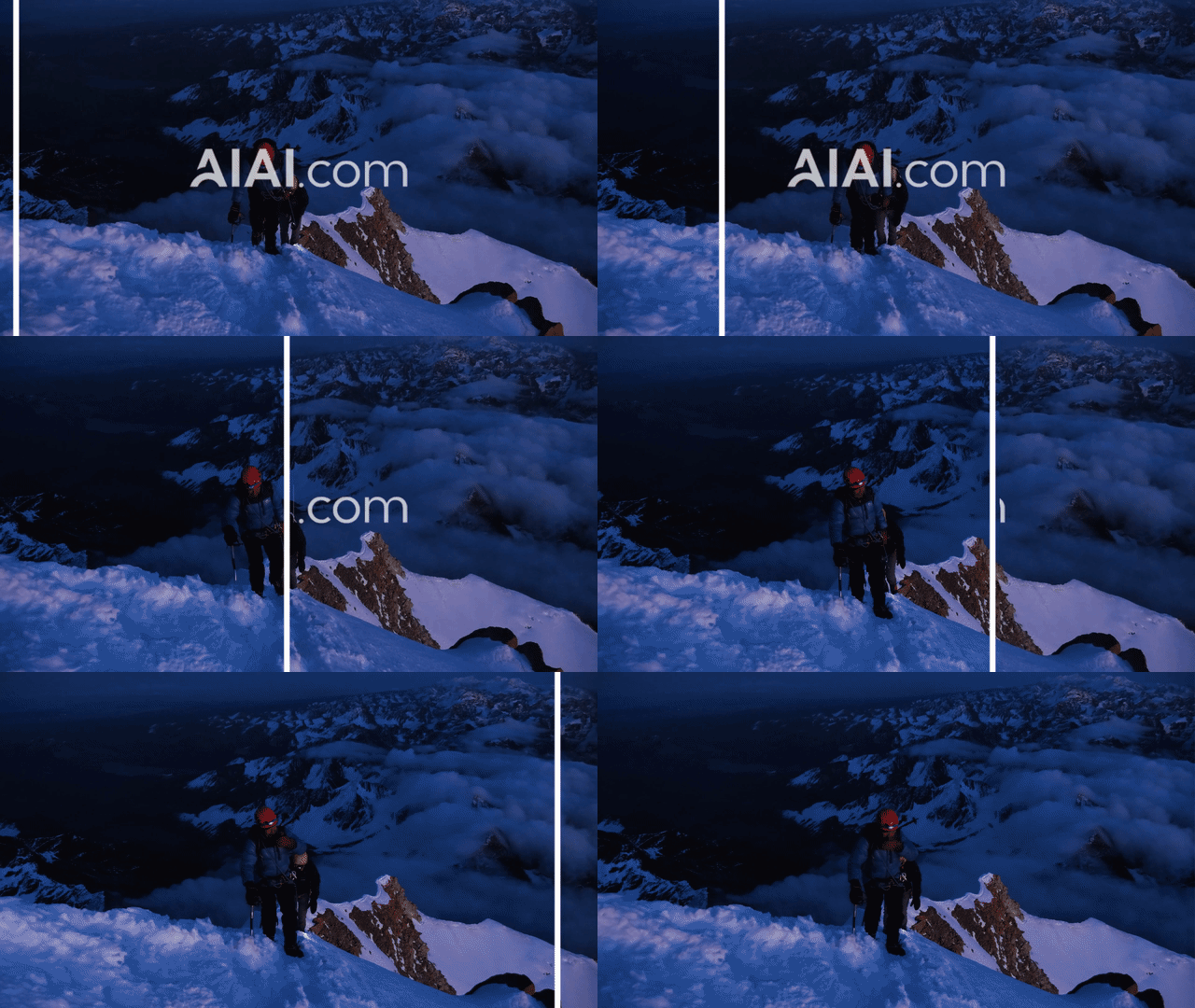
Remove Text from Video with AI and clean up your footage in seconds. AI-powered video text removers can automatically remove subtitles, captions, usernames, timestamps, and other unwanted text overlays while intelligently restoring the background.
Whether you are editing TikTok videos, Instagram Reels, YouTube Shorts, or personal recordings, AI makes it easier to remove unwanted text without complicated editing software or frame-by-frame adjustments.
Removing text from videos used to require professional editing tools, manual masking, and hours of detailed work. Traditional methods such as blur, cropping, and overlays often leave visible marks or reduce video quality.
With AI video inpainting technology, modern AI text removers can analyze surrounding frames, reconstruct missing areas, and create cleaner videos with more natural results.
What Types of Text Can You Remove from Video?
AI video text removal tools can remove many types of unwanted text that appear directly on video frames, including:
🎬 Hardcoded Subtitles & Captions
Remove subtitles that are permanently embedded into a video instead of existing as separate caption files. This is useful when you want to:
- Create a new language version of a video
- Repurpose old content
- Prepare clean footage for editing
👤 Usernames & Labels
Remove creator usernames, account tags, and outdated branding elements from your own videos.
⏰ Timestamps & Date
Clean up old recordings, personal archives, or camera footage by removing visible date and time information.
- 📰 Lower Third Graphics: Remove news-style labels, presentation titles, and informational text overlays.
- 🖥 Screen Recording Text: Clear outdated instructions, annotations, or labels from tutorials and software demonstrations.
How Does AI Remove Text from Video?
AI video text removal is powered by Video Inpainting, a technology that allows AI to reconstruct missing areas instead of simply hiding unwanted elements.
1. Text Detection
The AI first identifies the location of unwanted text within the video frames, including static subtitles, moving captions, usernames, and labels.
2. Background Analysis
The AI examines surrounding pixels and nearby video frames (previous and following frames) to understand background textures, object movement, and scene changes.
3. AI Reconstruction
The system generates new visual details and blends them into the original footage, creating a cleaner, more natural result than simple blur techniques.
How to Remove Text from Video Online in 3 Simple Steps
Step 1: Upload Your Video
Upload your video file (MP4, MOV, M4V, MKV, WEBM). No professional editing software is required.
Step 2: Let AI Process the Video
The AI automatically detects the text. Advanced models can track text even when it moves or animates across different frames.
Step 3: Preview and Export
Preview the processed result. Once satisfied, download your clean video without unwanted overlays.
AI Text Remover vs Traditional Video Editing Methods
| Method | How It Works | Skill Level | Result |
|---|---|---|---|
| AI Video Text Remover | Reconstructs missing areas | Easy | Natural background restoration |
| Professional Software | Manual masking and tracking | Advanced | High quality but time-consuming |
| Blur or Mosaic | Hides text with pixel effects | Easy | Visible blur patches |
| Cropping | Removes the entire area | Easy | Loss of original content |
Remove Text from Video with AIAI.com
AIAI.com provides an AI-powered solution that helps creators clean up videos automatically without complicated editing workflows.
- ✅ Use AI video inpainting to restore backgrounds
- ✅ Process both static and moving text overlays
- ✅ Maintain high-quality video output
- ✅ Edit directly online – No installation required
Try AIAI.com Now
What Are the Limitations of AI Video Text Removal?
Although AI technology has improved significantly, results can vary depending on video complexity. It may be less accurate when:
- Text covers faces, hands, or important objects
- Large areas of the screen are covered by text
- Backgrounds change quickly or videos are low-resolution
- Multiple transparent text layers overlap
Responsible Use of AI Text Removal
Only edit videos that you own or have permission to modify. This technology is designed for legitimate purposes:
- Updating your own videos and removing outdated captions
- Cleaning personal archives or preparing authorized marketing content
Always follow copyright, licensing, privacy, and platform guidelines.
Frequently Asked Questions
A: Some AI tools offer free previews or trial credits. Free versions may include limitations on video length or export options.
A: Yes. AI tools can remove hardcoded subtitles and captions that are permanently embedded into video frames.
A: Yes, as long as you own the video or have permission. AI can remove captions, usernames, and labels from authorized content.
A: Most AI video text removal tools support popular formats such as MP4, MOV, M4V, MKV, and WEBM.
A: AI inpainting helps preserve quality by reconstructing missing areas instead of applying blur effects or cropping the original footage.
A: Processing time depends on video length, resolution, and complexity. Short clips can usually be processed within minutes.